Fix Closed Eyes in Photo With Only One Shot (2026)
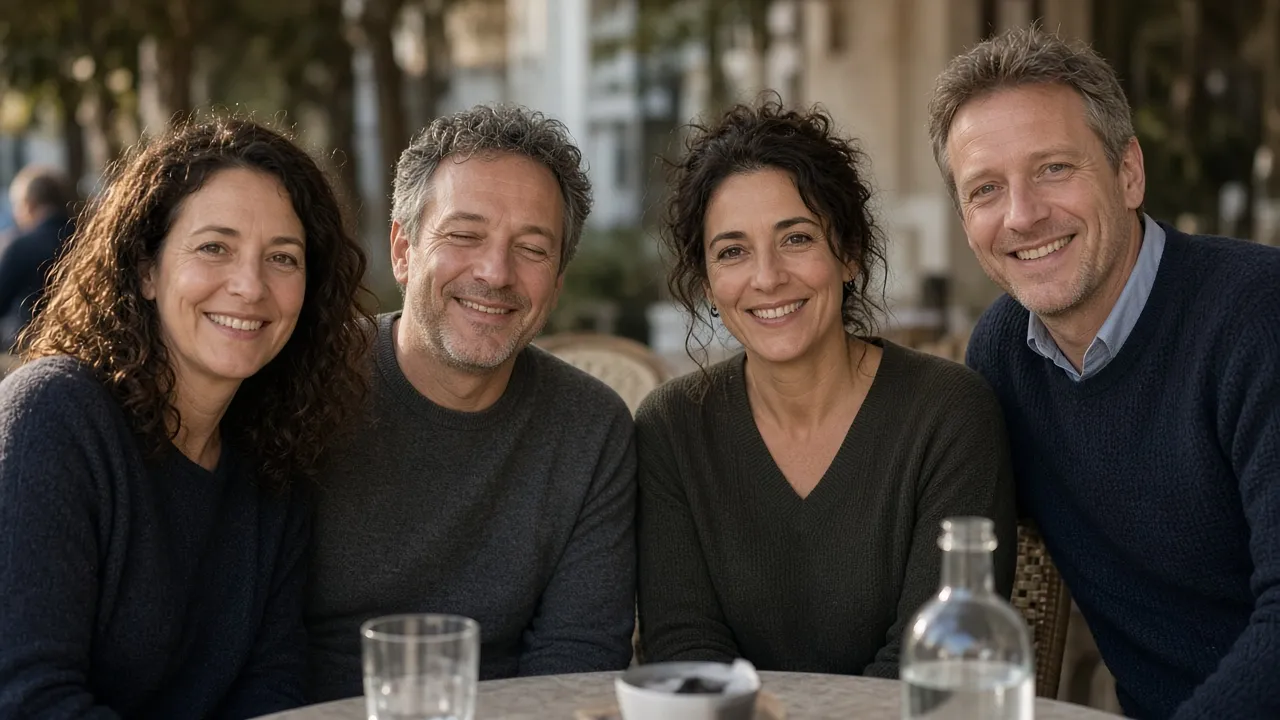
The group photo is already the one you wanted. Everyone is in the frame, the light is even, and one person has both eyes shut. There is no second burst frame on the camera roll, and nobody is going to restage the table.
That is a different repair from copying an open eye onto a half-blink. With both lids down, the file contains no iris and no catchlight to borrow. Generating the eyes can still leave a stare you should not send. Here is how to tell those two jobs apart, and what to check before the photo goes out.
A half-closed eye still has a donor
If one eye is fully open and the other is only half shut, the open eye is a real iris shot in the same light. Scott Kelby’s retouch copies that eye, flips it, and then moves the catchlight, because a horizontal flip parks the reflection on the wrong side of the iris. The result can stay faithful for the simple reason that the color and the lid crease came from that person, in that photo.
A full blink has nothing to flip. Transplant tutorials such as Skylum’s Photoshop walkthrough start from a second picture of the same person, taken at a similar angle and in similar light, and say to shoot again if you do not have one. Most people holding a single JPEG do not have that file. The remaining option is to generate the eye area and reject the result when it fails the checks below.
Why the new eyes look dead
A generated eye can be anatomically tidy and still read as fake. Three mismatches show up more often than a warped nose.
The catchlight is missing or on the wrong side
A catchlight is the reflection of the actual light source on the cornea. A window to the camera’s left puts a small bright shape in the upper-left of both irises. People who were already looking at the camera in the same shot are the reference: their catchlights should match the repaired pair in shape and side. No reflection, two reflections, or a reflection on the opposite side means the eye was lit by a light that was not in the room.
The pupils do not share a target
In a photo where everyone else is looking into the lens, the repaired pupils have to land on that same point. One pupil drifting toward the edge of the frame, or the two eyes aimed at different places, is the stare people call dead. If the person’s head is tilted down toward a plate or a child, camera-facing eyes are the failure. The gaze has to follow the head you already have.
The lids do not match the smile
A real smile lifts the cheeks and narrows the eyes. Wide, relaxed lids on a laughing mouth look pasted on, even when the iris color is right. The same thing happens outdoors: if the rest of the group is squinting in hard sun, fully opened eyes belong to a different exposure.
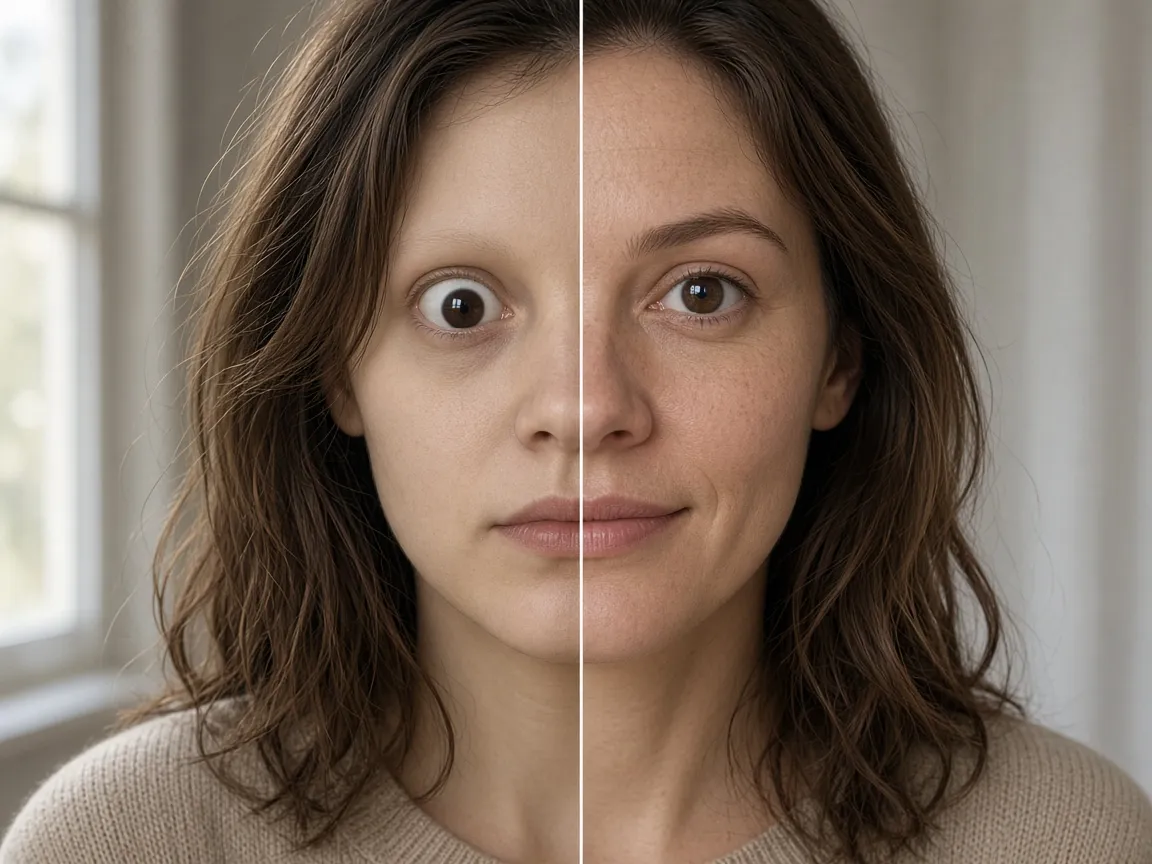
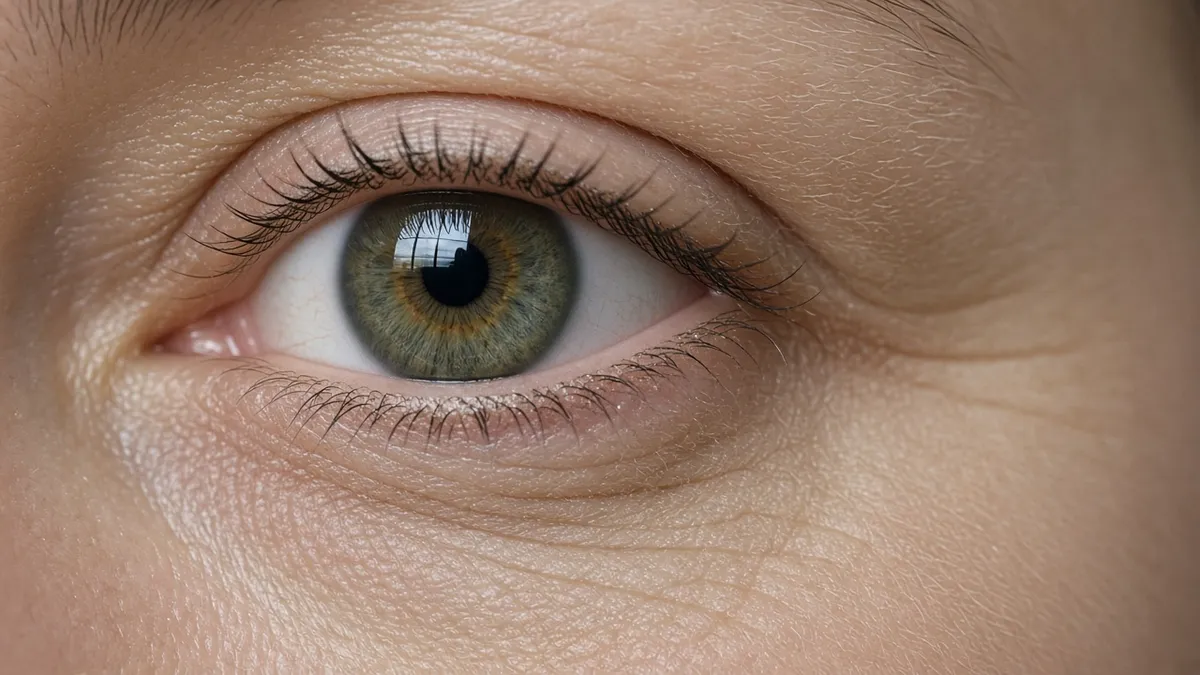
The left half is the reject: the lid is too open for the mouth, the gaze leaves the camera, the skin has been smoothed, and the iris has no window reflection. The right half is the send: a window catchlight in the iris, the gaze toward the camera, pores still visible, and the lid sitting with the smile.
Open the blink in the photo you already have
Upload the single frame. The repair runs on closed eyes only — no prompt to write, no second photo to hunt down.
Fix closed eyes in this photo →Fix closed eyes in the only photo you have
Open Eyes in Photo takes one image. JPEG, PNG, or WebP, up to 50 MB. There is no prompt box and no slot for a reference portrait. The built-in instruction opens closed eyes, keeps the smile, pose, light, background, and crop, and aims for a camera-facing gaze with real catchlights. You pick the output, then you judge it.
- Start from the original file, not a screenshot and not a previous generated attempt. A messaging-app export is already soft, and the eye repair will be softer still.
- Set resolution for how the face sits in the frame. 1K is enough to judge a large portrait on a phone. If the blinker is small in a wide group, or you are printing, use 2K or 4K so the iris is not the blurriest patch on the face.
- Choose JPG to send, PNG if you still need to composite. Then run the repair. Compare against the original with the divider. If another person’s face moved, discard the result and run again from the original. Do not feed the bad result back in.
Check three things before you send it
Run the repair, then score the file against the original. A pass is specific. “Looks more awake” is not a pass.
| What you have | A result you can send | Reject it when |
|---|---|---|
| One person, both eyes shut. Window light from the camera’s left. Everyone else looking at the lens. | Only that person’s lids changed. Catchlights sit upper-left in both eyes, matching the neighbors. Other faces are identical. | No catchlight, a catchlight on the right, or a neighbor’s eyes were redrawn. The eye patch is softer than the cheek. |
| One eye half shut, the other fully open in the same light. | The already-open eye is unchanged: same iris, same catchlight, same lid. Only the half-shut eye opened. | The good eye moved. Keep the original, or copy that real iris in Photoshop if you need it exact. |
| Hard sun. The group is squinting. One person is fully shut. | The new lids stay narrowed, in line with the squint beside them. Catchlight matches the overhead sun. | The eyes open to a studio width while everyone else is still squinting. |
When the blink should stay
Generation will not invent a reliable iris from a face that is a few dozen pixels tall, turned in profile, or hidden by hair, a hand, or glare on glasses. Check the frame shape after any glasses shot. If the rims bent, the eye repair is not usable.
The repair opens closed eyes. It does not ask which person you meant. Two blinkers in one frame can both be opened. If you needed only one of them changed, and the other person was meant to stay mid-laugh with eyes shut, this tool cannot take that instruction. Shoot or crop a tighter frame of the person you actually want fixed, and leave the group file alone when the second face matters more than the blink.
Frequently Asked Questions
Can I fix closed eyes in a photo with no other picture of them?
Yes, when both eyes are shut and you have no donor frame. Upload that single photo. There is nowhere to attach a reference portrait. Judge the catchlights, the gaze, and the smile against the original before you send it. If those three fail, keep the blink.
Why do AI-opened eyes still look fake?
The usual causes are a missing or misplaced catchlight, pupils that do not look where the rest of the group is looking, and lids that are too open for the smile or the sunlight. Iris color can be right while all three of those are wrong.
What if only one eye is half closed?
The open eye is a real donor, so a Photoshop copy can stay closer to that person than a generated iris. If you use this tool, the already-open eye must stay untouched. If its catchlight or color changes, discard the file.
Can I choose which person in a group photo gets opened eyes?
No. There is no prompt field. Closed eyes in the frame are what the repair targets, so a single blinker is the case it fits. Two people mid-blink can both change. If that second face has to stay exactly as shot, do not use the group file as the input.
What resolution should I use to fix closed eyes in a group photo?
Use 1K when the face is large and you are only sending the photo to a phone. Use 2K or 4K when the person is small in the frame or you are printing. If the iris looks softer than the cheek at 1K, run the original again at a higher resolution instead of enlarging the soft file.
Send the frame you have, after you check the eyes
One upload, a built-in blink repair, and a side-by-side compare. Keep the result only if the catchlights match the room.
Open eyes in this photo →