Christmas Product Photography Ideas for Sellers (2026)
Black Friday 2026 is November 27. Shop banners, holiday emails, and the first gift-season listings that go out that weekend use whatever photo is already uploaded. If the festive shot of a mug, candle, or card is still a plan, the plain table photo is what runs.
Christmas product photos for a handmade shop do not need a studio. A phone, a window, and three small props cover the scenes below: a mantel, a tree, wrapping paper, a cold window, a wooden table, a white Nordic surface, a gift box, and a card with its envelope. A fireplace, or a tree you have not put up yet, should not hold the listing. Shoot the scenes you can build this week. The ones you cannot build are the same setups a preset can place a plain photo into.
Skip the props, keep the product
Upload one plain photo of a mug, candle, keepsake, or the flat artwork of a card. Pick a Christmas scene and download a listing image with your product and its text still in place.
Open AI product photography →Where holiday product photography actually goes
Shoot for the slot, or you will style a photo you are not allowed to put first.
| Place | What leads | Where the Christmas scene goes |
|---|---|---|
| Amazon | The product alone on a pure white background. No props, no added graphics. A name printed on the mug, or the label on the jar, is part of the product. | Later images, ads, and the storefront. Not image slot 1. |
| Etsy and Shopify | A styled photo can be first. Keep one plain shot later in the gallery so the buyer can see the object without greenery in the way. | Listing photos, the shop banner, and social posts. |
| Email and ads | The crop can be wider than a square listing grid. | Yes. A 16:9 frame suits a banner better than a square does. |
Use one scene for a whole collection. Five colorways of the same candle, each on a different backdrop, look like five shops. Same surface, same crop, same time of day.
A phone setup that works for every scene
Stand next to a large window. Turn the ceiling lights off so the product does not go orange, and leave the flash off. Daylight from the side is enough. Direct sun on the sill is not; it blows out a white mug and puts a hard shadow under the handle.
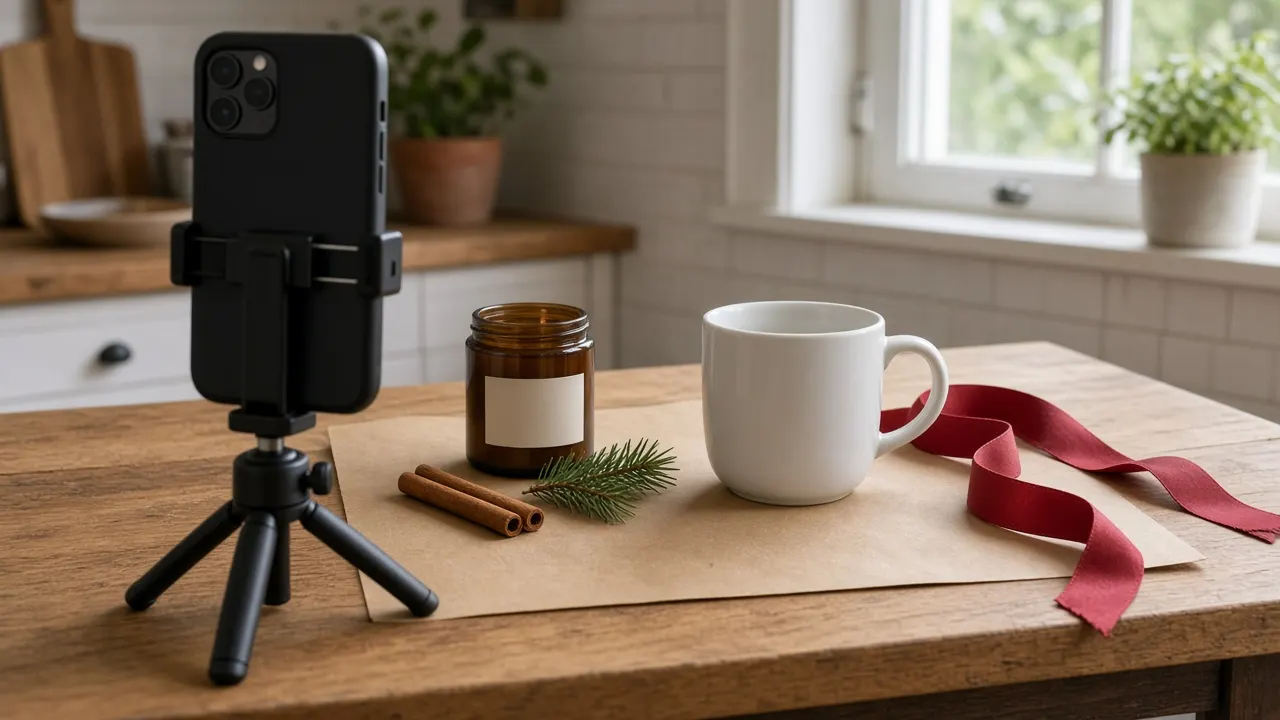
Steady the phone on a mini tripod or a stack of books. Tap the printed name or the label so the focus lands there. If that text is soft in the original, every later use of the file stays soft. For a flat lay, turn portrait mode off so the paper and the product are both sharp. Use portrait mode only when fairy lights a few feet behind the product should fall into soft circles.
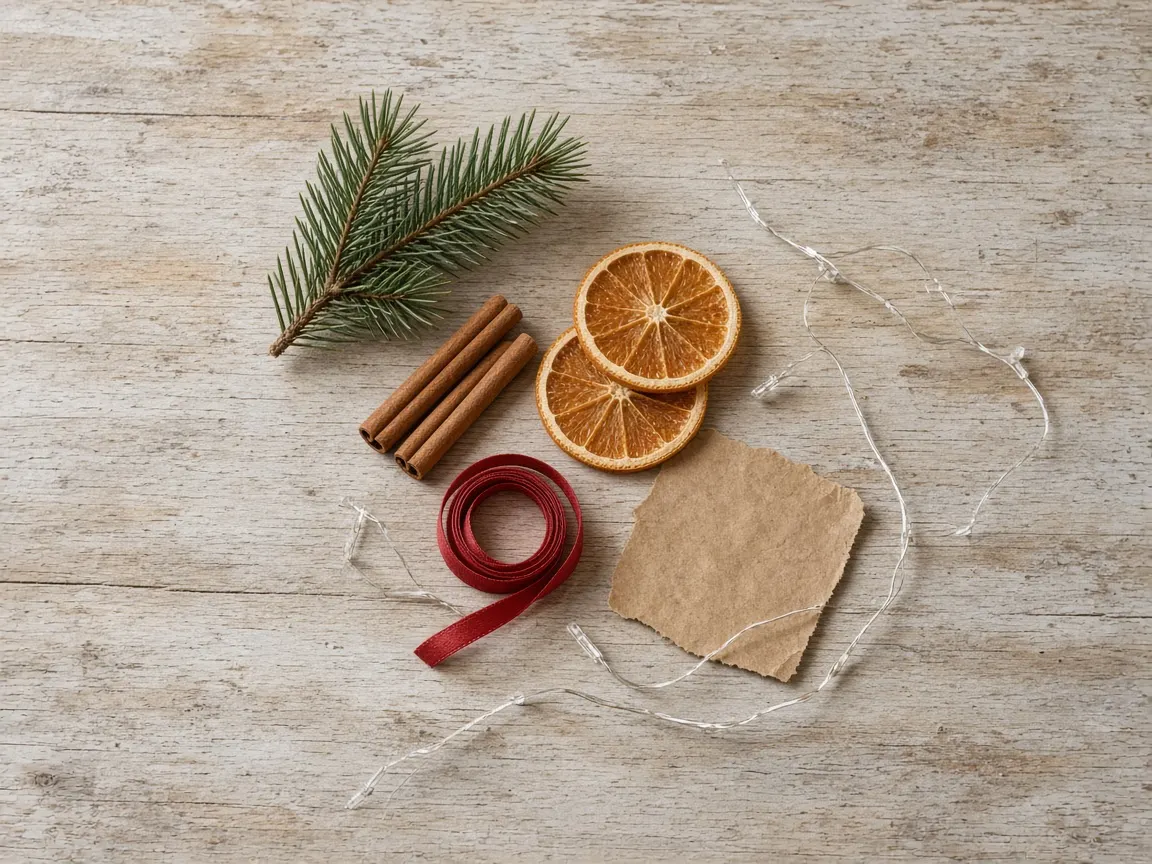
Three props, all smaller than the product, none of them on top of it. A useful kit is one piece of greenery, one ribbon or a kraft box, and one small texture: cinnamon, a pine cone, or a white bauble. Leave movie Santas and branded wrapping paper out of the frame, especially in ads.
If you might also run the photo through a scene tool later, shoot a second frame on white or grey with the whole product in focus and nothing cropped. That plain frame is the one that drops cleanly into a preset. It is also the frame Amazon still wants first.
Eight Christmas scenes worth shooting
Each scene below is something you can build at home, and the same name exists as a preset if the room does not have it. The empty photos are scene references only. There is no product in them.
1. Fireplace mantel
Best for candles, reed diffusers, and small ceramics that belong on a shelf. Set the product on the front lip of the mantel. Pine garland and a string of warm lights stay behind it, not across the label. Hold the phone at product height, not down by the hearth, so the jar does not look like it is tipping into the fire.
Evening works better than noon. Ceiling lights off, fairy lights on, and one lamp from the side so the label can still be read. If the product is itself a candle, do not park a brighter candle in front of it. No fireplace in the apartment means this is a preset, not a DIY. Do not shoot a television fire and hope it looks like a hearth.
2. By the tree
Best for ornaments, mugs, gift sets, and keepsakes. Put a side table or a stool in front of the lower half of the tree. The product stays sharp. Lights and two wrapped boxes stay soft behind it. Do not tuck the product into the branches, or the listing photo becomes a picture of the tree.
Tree lights on, ceiling off, and window light or a lamp on the product so it is not a silhouette. Many shops do not put a tree up until late November. Shoot this when the tree is actually there. If the listing cannot wait, the “By the tree” preset is the stand-in, not a houseplant with a ribbon on it.

3. Gift-wrap flat lay
Best for soaps, ornaments, card sets, tins, and short jars. A mug works from above only if the handle and the printed name are both visible. Tape wrapping paper to the table. A deep red, kraft, or a small quiet pattern is enough. Busy printed paper fights the product.
Hold the phone directly overhead and turn portrait mode off. The product sits in the empty middle. Ribbon, pine, cinnamon, and dried orange slices stay at the edges and do not touch it. Light comes from the side window, not from the flash.

4. Snowy window
Best for candles, mugs, and pale ceramics. The product sits fully on the sill, with frost on the glass behind it, a lantern or a few pine cones beside it, and nothing stacked on the lid. Overcast daylight from that window is the light. Skip this scene in direct sun.
Real frost in late October is a northern-window problem, not a prop you can order by Friday. A pinch of baking soda on the wood reads as snow only in a tight crop, and it stays off the product, off fabric, and off a candle. If you do not have the weather, shoot the sill with pine cones now for a quiet winter frame, and use the “Snowy window” preset when the listing needs the frost.

5. Rustic wooden table
Best for mugs, candles, and wooden ornaments, especially anything with a name the buyer has to read. Use the table you already have. Pine, one pine cone, and a few cinnamon sticks are the whole set. Shoot from a three-quarter angle so a mug handle and the printed name are both in frame.
One warm lamp, ceiling lights off. This is the easiest scene to shoot in a rental with no mantel and no tree, and it is the preset used on the personalized mug later in this piece.
6. Nordic white
Best for white or pale products, paper goods, and shops that want the photo to still look right in January. Cover the table with white paper or a white board. Eucalyptus or pine, and two small white baubles, sit in the corners. The middle stays empty for the product.
Bright window light, with a soft shadow to one side. This is holiday product photography that does not shout. A few tiny lights at the edge are optional. The preset itself is a clean white surface, eucalyptus, pine sprigs, and small white baubles.

7. Open gift box
Best for engraved ornaments, small keepsakes, and soap sets you sell as a gift. Open a kraft box, add tissue and one satin ribbon, and place the product beside the box or in front of it. Buried in tissue, the engraving disappears and the buyer cannot tell what they are ordering.
Soft daylight, camera slightly above the product. This setup lives with the everyday presets, under the name “Gift box,” not inside the Christmas group. It is the right one for a gift guide that has to keep working after December.
8. Card with an envelope
Best for greeting-card makers. If you have a printed sample, stand it on a desk, slightly open, with a matching envelope leaning beside it and one sprig of greenery. Soft daylight, phone at card height. Photograph the print. A photo of your laptop screen is not a card mockup.
If you only have the design file, that file is the upload, not something you print and reshoot first. Card presets are “Card with envelope,” “Card in hand” (a hand and wrist only, no face), and “Card on desk” (top-down, with a pen and an envelope). Those three show up only when the upload is marked as a card design. A card design can also use the Christmas scenes, so the same artwork can sit on a mantel. The tool prints your artwork onto a card. It does not redraw it.
Put a plain photo into the Christmas scene
A full styling pass is an afternoon. A shop with forty SKUs does not get forty afternoons in October. AI product photography takes one photo, or one flat card design, and places that product into a preset. It is placement, not a redesign of the object.
- Upload one file. Choose “Product photo” for a mug, candle, or gift, or “Card design” for the flat front artwork. One image per run. Use a clear, well-lit frame on a plain background, with the whole product in focus. For cards, upload the artwork, not a photo of a monitor.
- Pick the scene. Christmas presets: Fireplace mantel, By the tree, Gift wrap flat lay, Snowy window, Rustic Christmas table, Nordic Christmas. Gift box is with the everyday scenes. The three card mockups appear only for card artwork.
- Add a note only if the scene needs it. Notes such as “add a sprig of holly,” “use red and gold tones,” or “no candles” change the scene. They do not edit the product, its label, or its personalization.
- Set the frame, then generate. 1:1 suits most marketplace grids. 4:3 or 3:4 suits Etsy and social posts. A wide ratio such as 16:9 suits a shop banner. Resolution is 1K, 2K, or 3K. 2K is enough for most listings. A few uncommon ratios offer 1K only, and the form says so. The credit cost is on the button before anything runs.
- Download, and zoom in. A regeneration is a new generation and spends credits again. If a generation fails, the credits are refunded.
There is no batch upload and no blank mockup library. You bring your own photo or card file. You also cannot drop the product into a picture of your own living room. The scenes are the presets, plus those notes. Two generations can run at once. That is not a catalog export. New accounts get free credits to try. Credit packs are a one-time payment, and the credits do not expire.
The four pairs below are real runs. Each result was generated from the photo beside it, with the preset named in the caption. Words that were large and clear stayed readable. That is not a promise that every engraving will. Compare your own file before you publish.
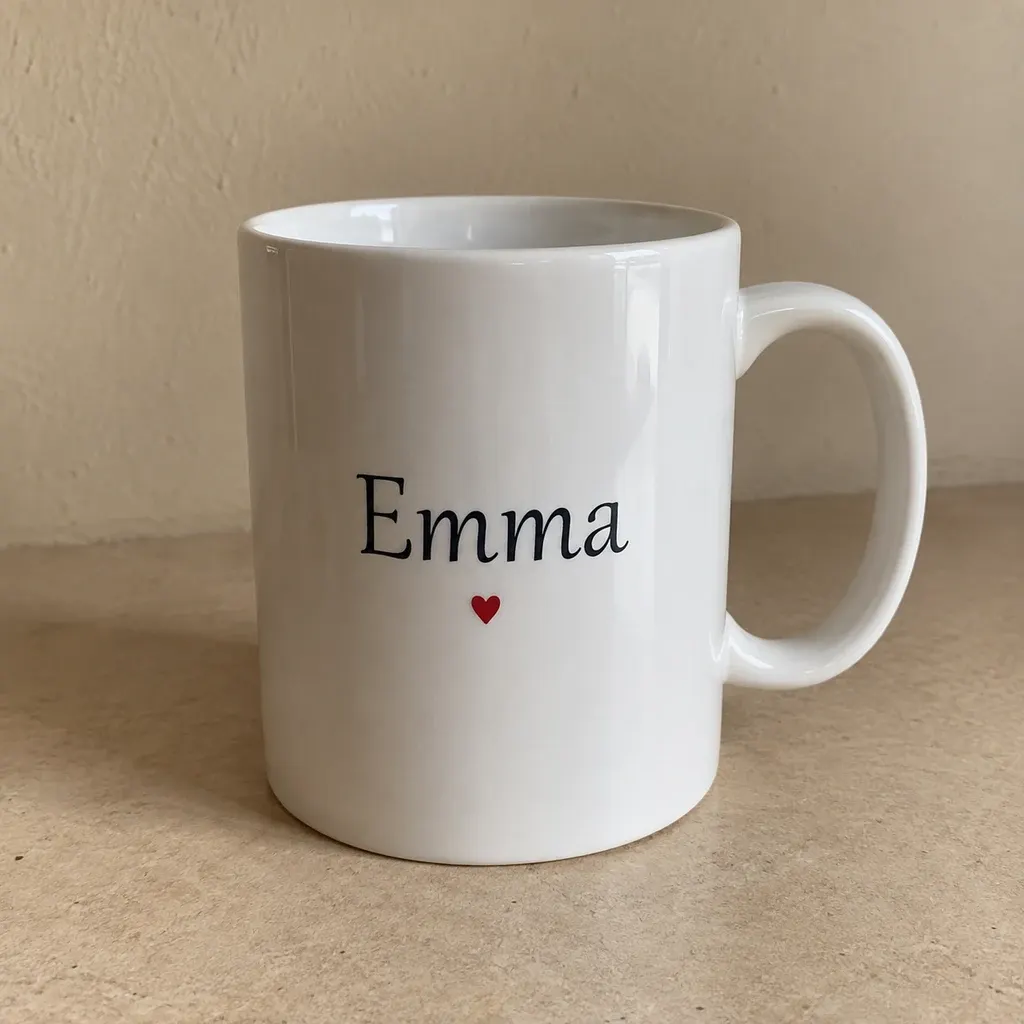
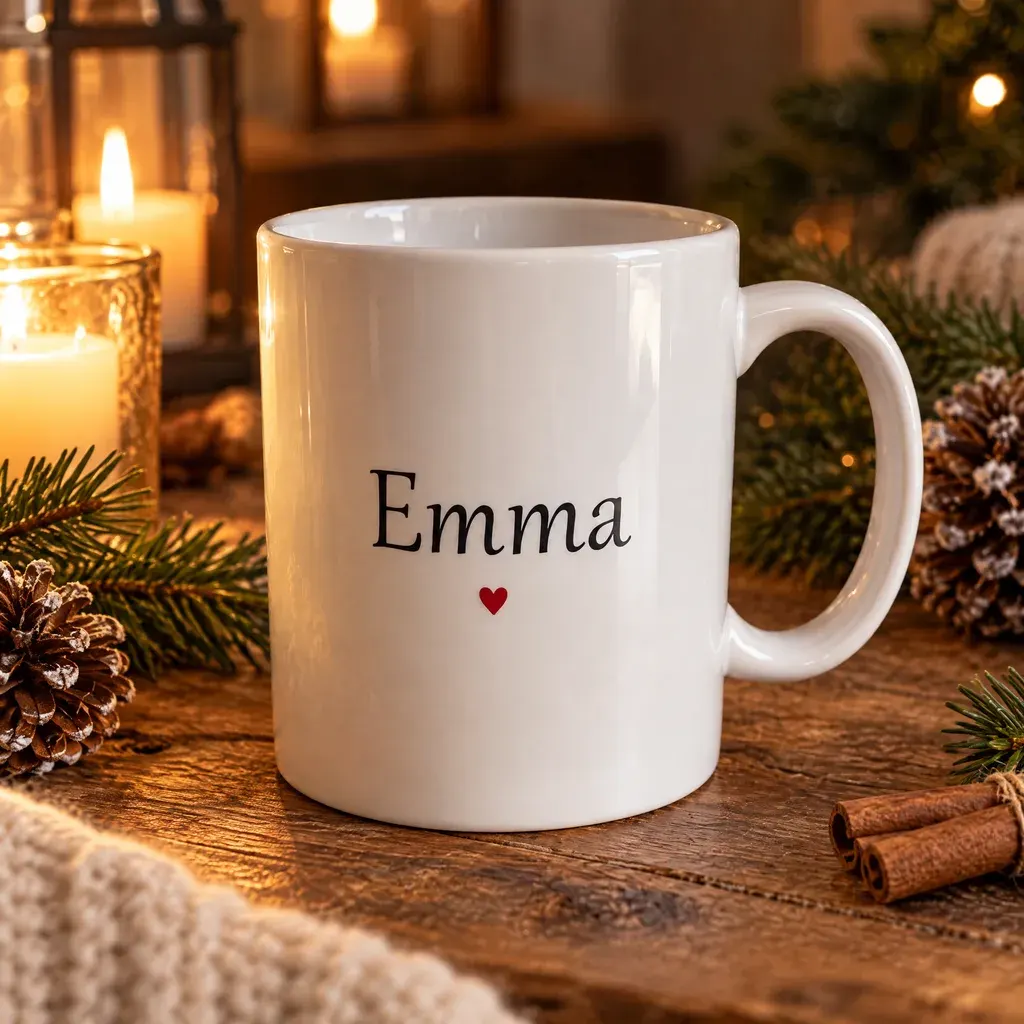
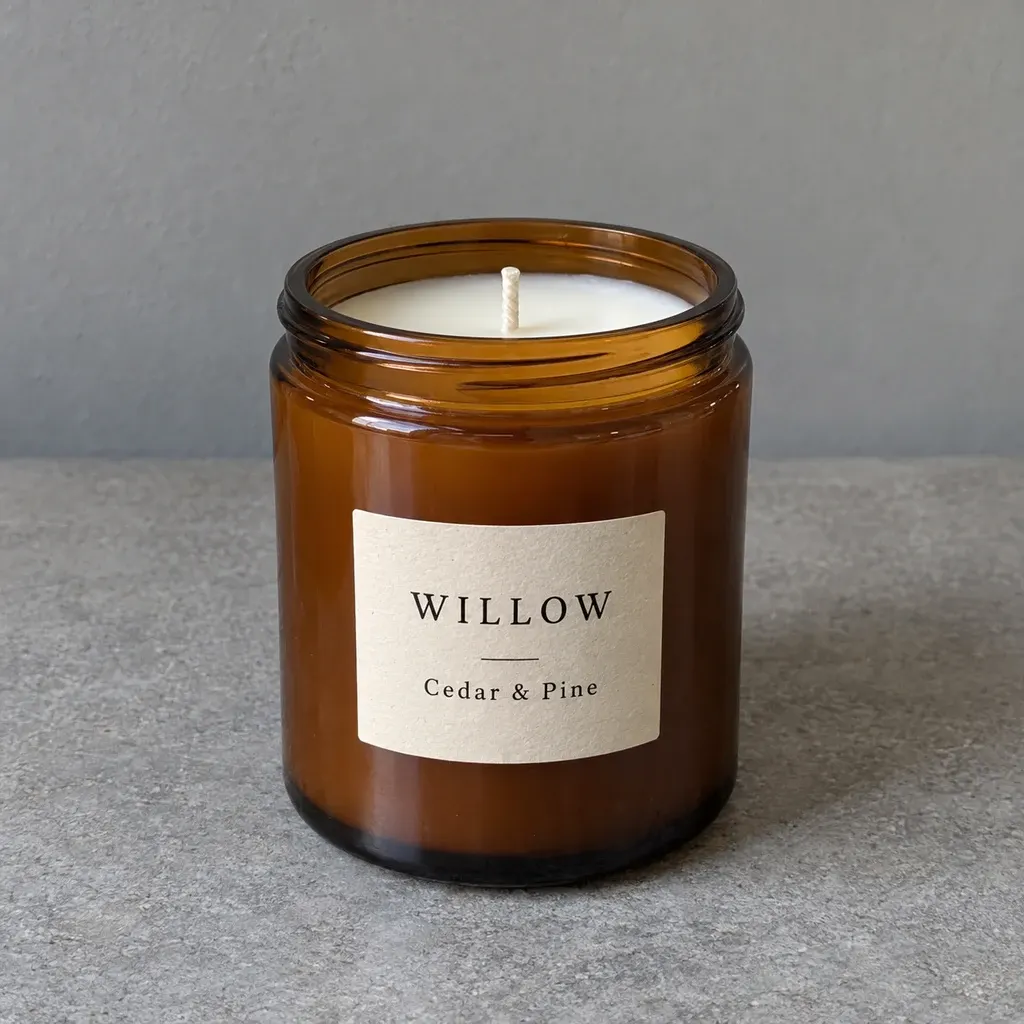
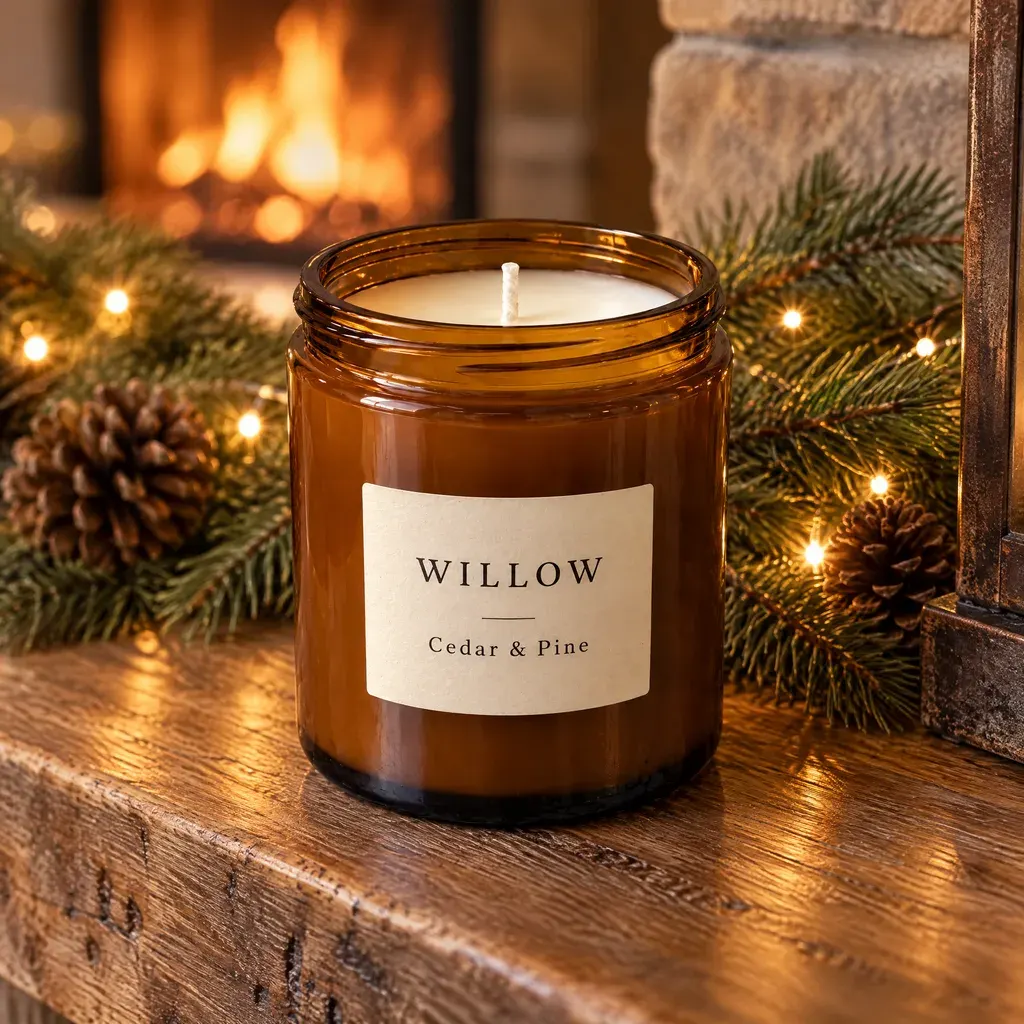
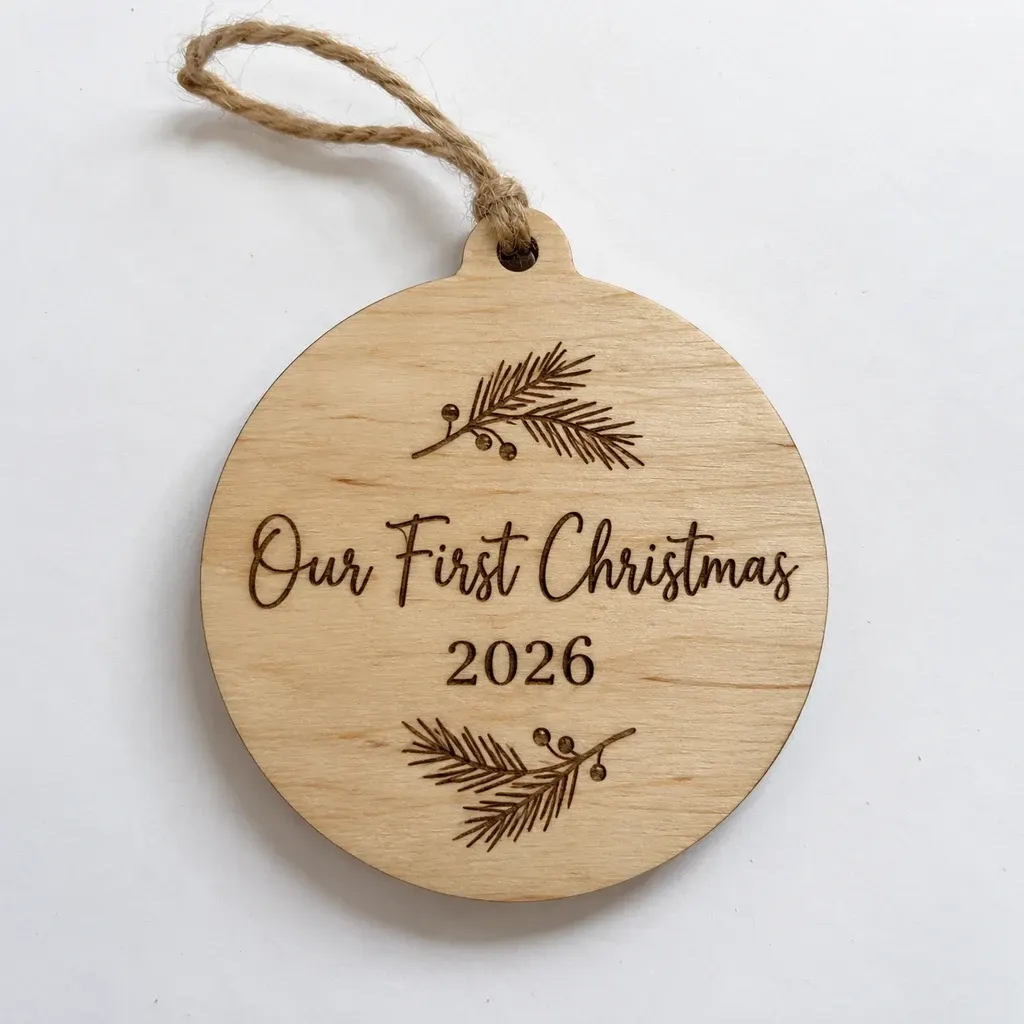

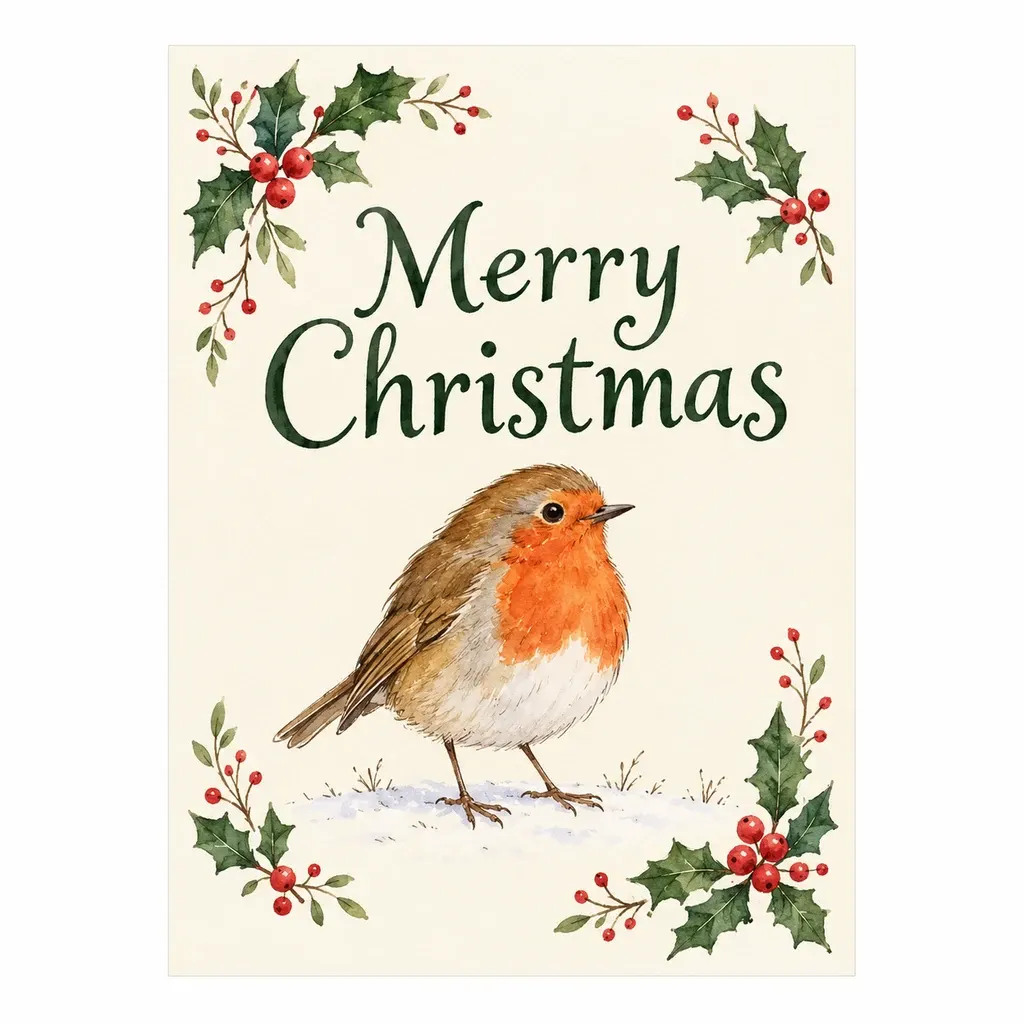
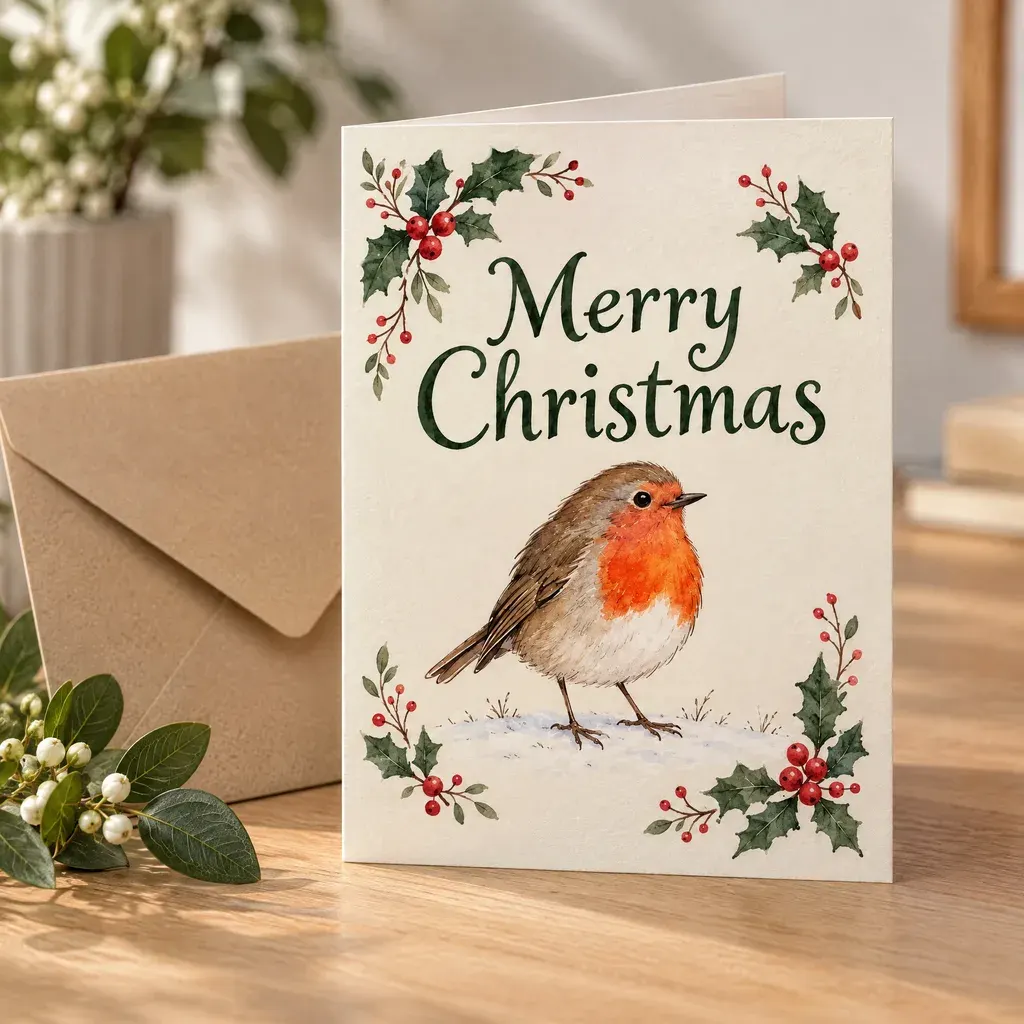
Zoom in on anything small, curved, or engraved. Large type like “Emma,” “WILLOW,” and “Merry Christmas” held in these runs. Fine engraving, shiny metal, and clear glass are the cases that slip. A sharp original is the main fix. If a letter changes, regenerate and check again. Props also change from run to run, so pick the variation that matches the rest of the shop.
Shiny jewellery that needs a pure white catalogue shot is a different job. Use jewellery retouch for that white background. This scene tool will not export a transparent file, and it will not turn a Christmas scene into an Amazon main image.
Check the frame before it goes live
- The shape, color, and label words match what you ship.
- Nothing covers the product. Greenery frames it.
- Amazon slot 1 is still the product alone on white. The Christmas frame is a later image.
- The collection shares one scene and one crop, so the shop looks like one shoot.
- No characters or wrapping paper you do not have the rights to use.
Under the site terms you own the images you generate, provided you had the rights to the product photo or card artwork you uploaded.
Frequently asked questions
When should I take Christmas product photos for 2026?
Before November 27, the Friday after Thanksgiving, not in the middle of December. Late October is the practical window: the photo still has to be checked and uploaded before holiday emails and shop banners go out. Scenes that need a real tree can wait until the tree is up. The rest should not.
What props do I need for holiday product photography at home?
Three, all smaller than the product: greenery such as pine or eucalyptus, one ribbon or a kraft gift box, and one small texture such as cinnamon, a pine cone, or a white bauble. Keep them off the product. A window replaces a studio light if the ceiling bulbs are off and the flash stays off.
Can Christmas product photos be my Amazon main image?
No. Amazon’s main image is the product alone on a pure white background, without props or added graphics. Text that is already printed on the product can stay. Put Christmas product photography in later images, ads, and the storefront. Etsy and Shopify can lead with the styled photo, and should still keep one plain shot in the gallery.
How do I make Christmas product photos without a photoshoot?
Upload one plain product photo, or a flat card design, to AI product photography and pick a preset such as Fireplace mantel, By the tree, or Rustic Christmas table. The scene is built around your product. Each run is one image, two can process at once, and there is no batch upload, no transparent export, and no blank template library.
Will the name on a mug or a card design stay the same?
The tool is built to keep printed text, shape, and colors, and to print card artwork onto a card rather than redraw it. Large clear names, like the Emma mug and the Merry Christmas card in the examples, stayed readable. Tiny, curved, or engraved lettering can still change, so zoom in before you publish. A regeneration spends credits again.
Use the scene you were about to build
Upload the plain photo you already have. Choose the mantel, the tree, the flat lay, the gift box, or a card with its envelope. The credit cost shows before you generate.
Make a Christmas product photo →