AI Image Changer — Change Background, Style, Outfit & More Instantly
Upload any photo and describe the change you want. This AI image changer swaps backgrounds, transforms styles, updates outfits, adjusts colors, and replaces objects in seconds — no masks, no layers, and no design skills required.
AI Image Changer
Upload a photo and tell the AI Image Changer what to change.
Drag and drop image here, or click to select
Images only (≤50MB each); select up to 8 now (total 8)
2K isn't available for this aspect ratio — choosing it switches to 1:1.
 OriginalChanged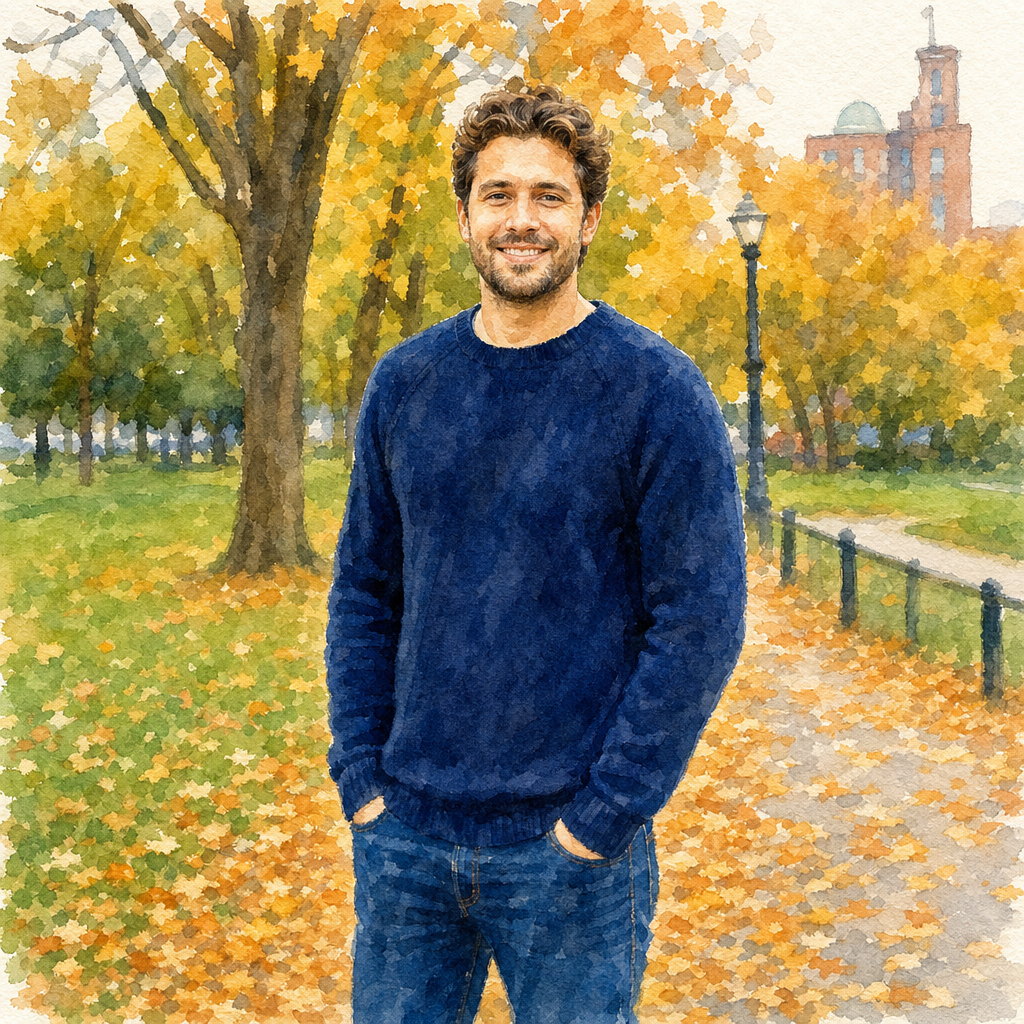
 OriginalChanged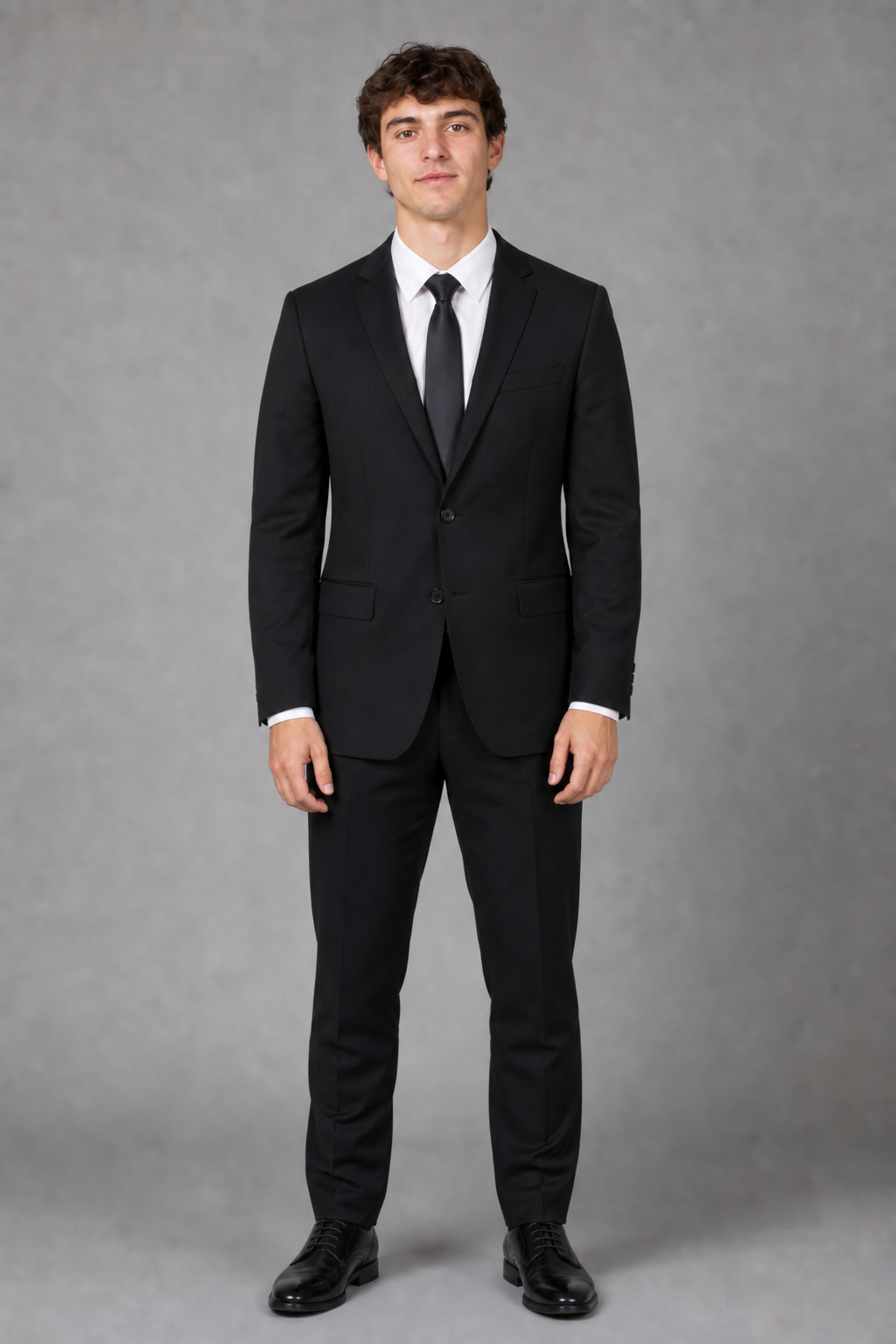
 OriginalChanged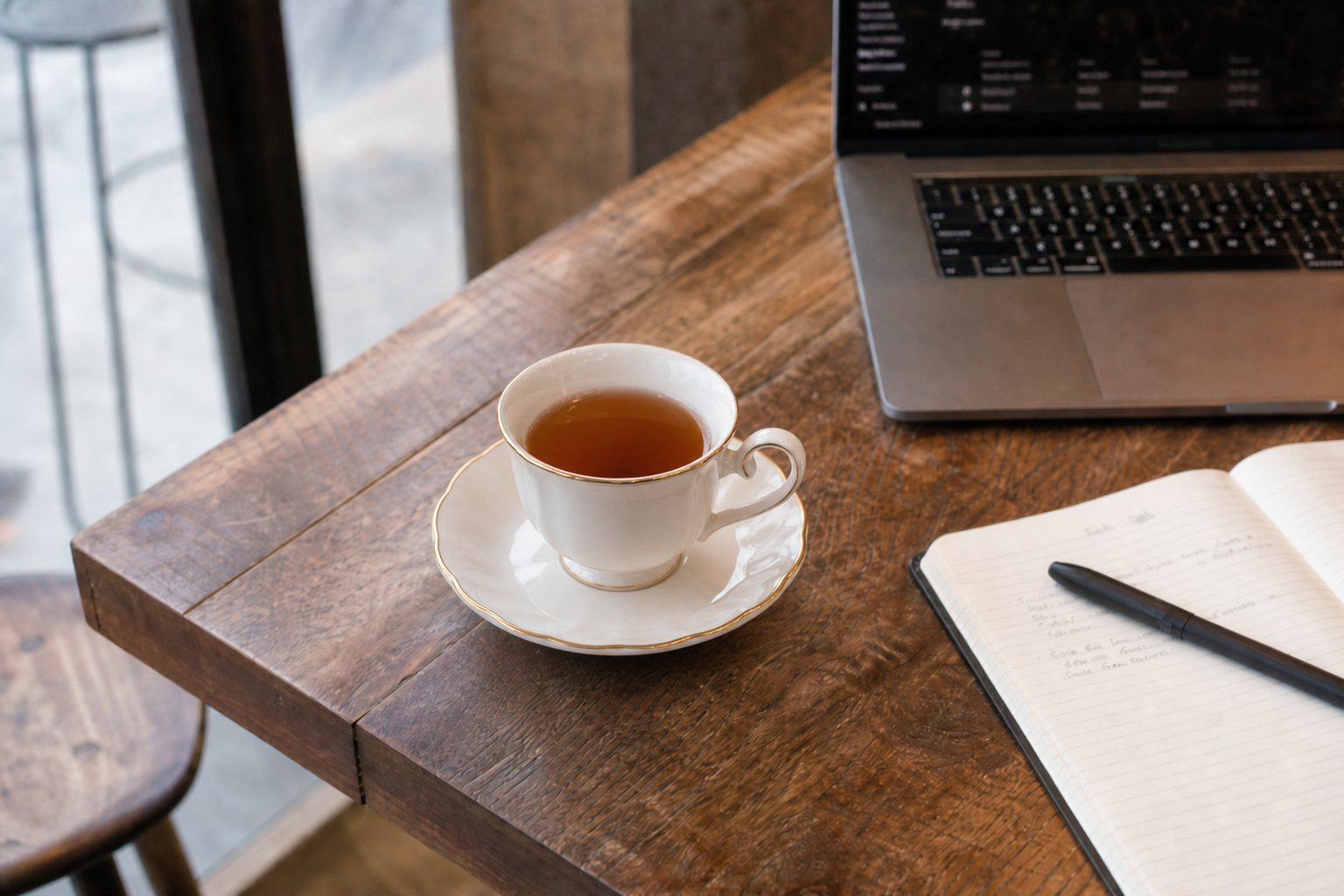
 OriginalChanged
How This AI Image Changer Works
Three simple steps turn any photo into exactly what you describe. This AI image changer handles the upload, the change, and the download without any manual editing on your side.
Upload Your Photo
Drop in a JPEG, PNG or WebP of the photo you want to transform. Any subject works, from a product shot to a full portrait, and a single upload is all this AI image changer needs to get started.
Describe What to Change
Type a plain-language instruction — change the background, change the style, change the outfit, change the color, or change an object — and the AI image changer applies exactly that edit while leaving the rest of the photo untouched.
Download the Result
Get a high-resolution image back in seconds. Download it directly, or run the AI image changer again with a new instruction to keep refining the same photo.
What You Can Change With This AI Image Changer
This AI image changer is not limited to one kind of edit. Describe any of the five changes below, or combine several in a single prompt, and get a realistic result back in seconds.
Change the Background
Swap a plain or cluttered background for a beach, studio, office, or any scene you describe, while this AI image changer keeps the subject's lighting and edges natural.
Change the Style
Turn a regular photo into a watercolor painting, anime illustration, vintage film shot, or oil painting. The AI image changer restyles the whole image while keeping the original composition.
Change the Outfit
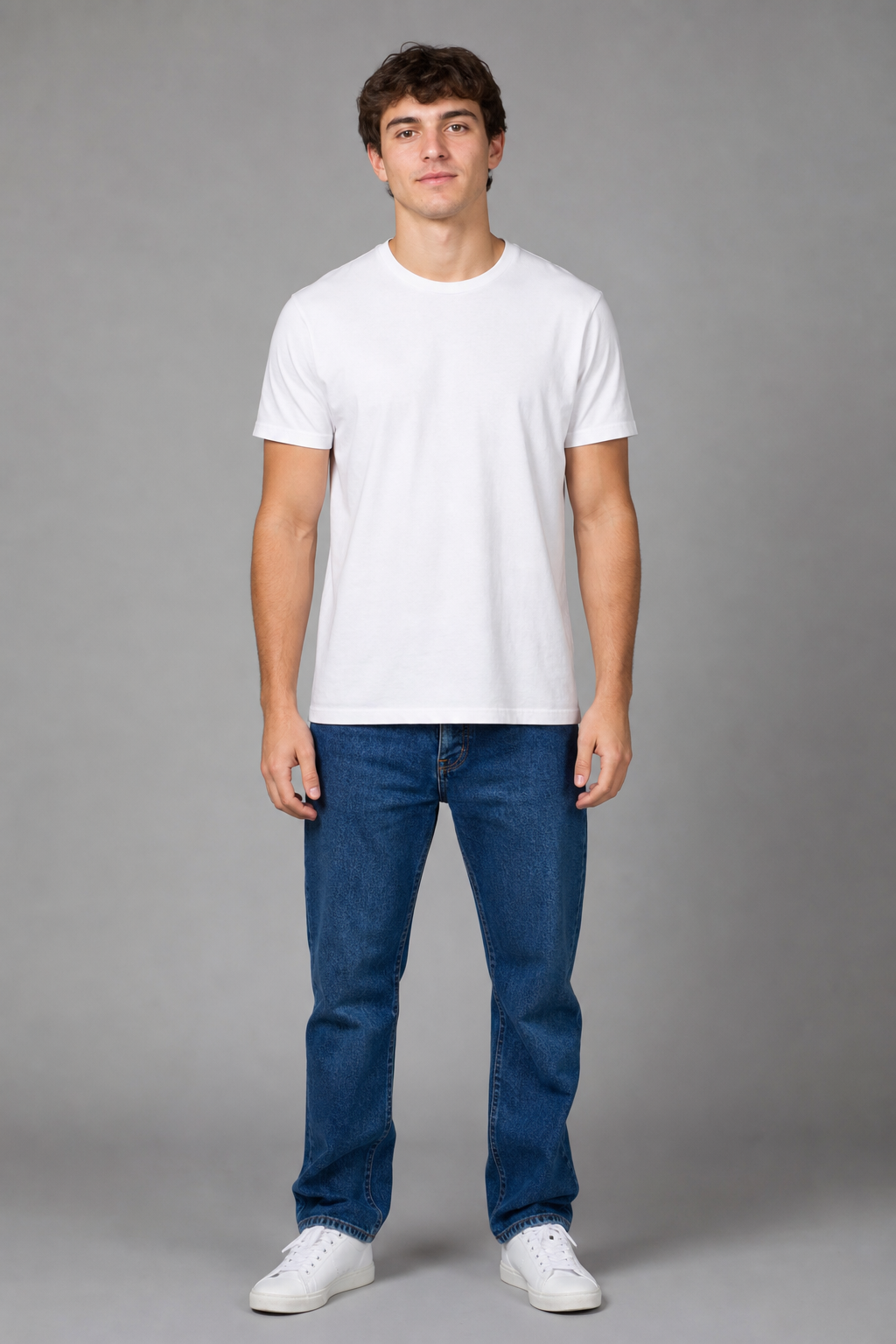
Describe a new outfit — a business suit, a summer dress, a uniform — and this AI image changer redresses the subject convincingly, matching pose, lighting, and body shape.
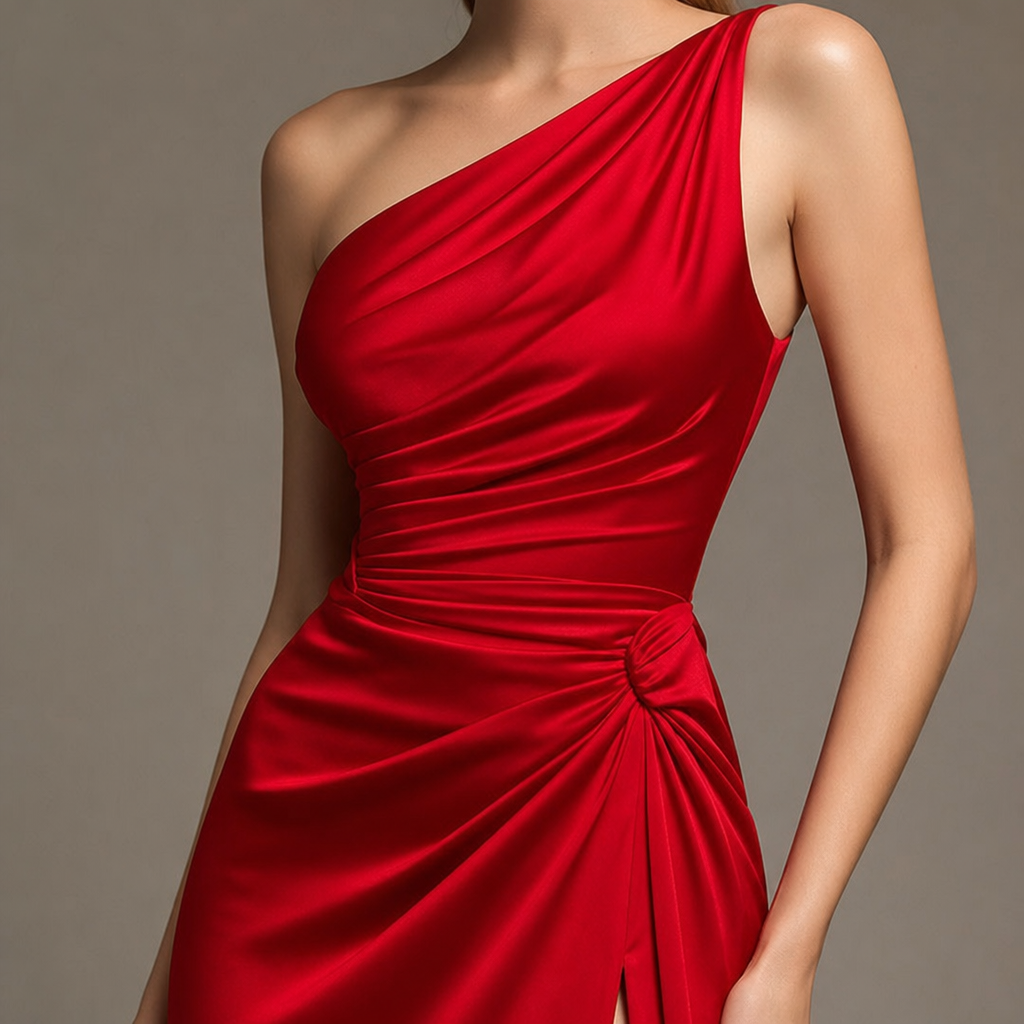
Change the Color
Recolor a dress, a car, a wall, or any single object in the frame without touching the rest of the photo, so the AI image changer only changes exactly what you mention.
Change an Object
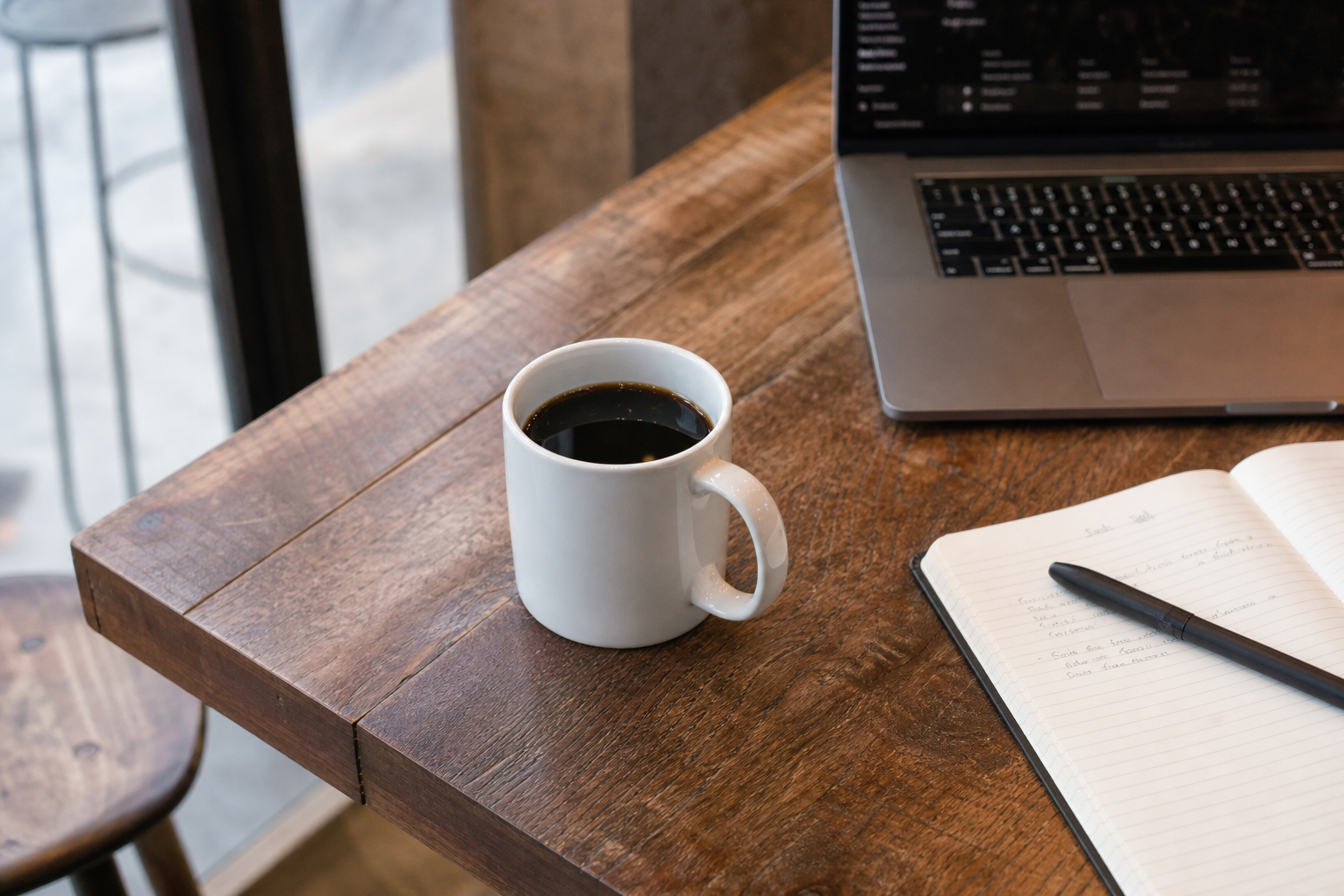
Replace one object with another, like a coffee cup for a teacup or a car for a bike. The AI image changer blends the new object into the same lighting and perspective.
Who Uses This AI Image Changer
This AI image changer fits completely different workflows, from a quick personal edit to a full product catalog refresh.
Content Creators
Change a background or style in seconds to match a new post or campaign, without opening a design tool or waiting on a reshoot.
Online Sellers
Swap a cluttered background for a clean studio scene, or preview a new color variant of a product, without booking a new photoshoot.
Marketers & Designers
Test different outfits, colors or scenes for a campaign visual before committing budget to a full production shoot.
Everyday Users
Change a vacation photo's background, restyle a portrait, or fix an object in a snapshot, all from a phone browser in under a minute.
AI Image Changer Before & After
Real results from this AI image changer, shown side by side. Each pair starts from the same original photo — only the part described in the prompt is changed, and everything else stays exactly the same.
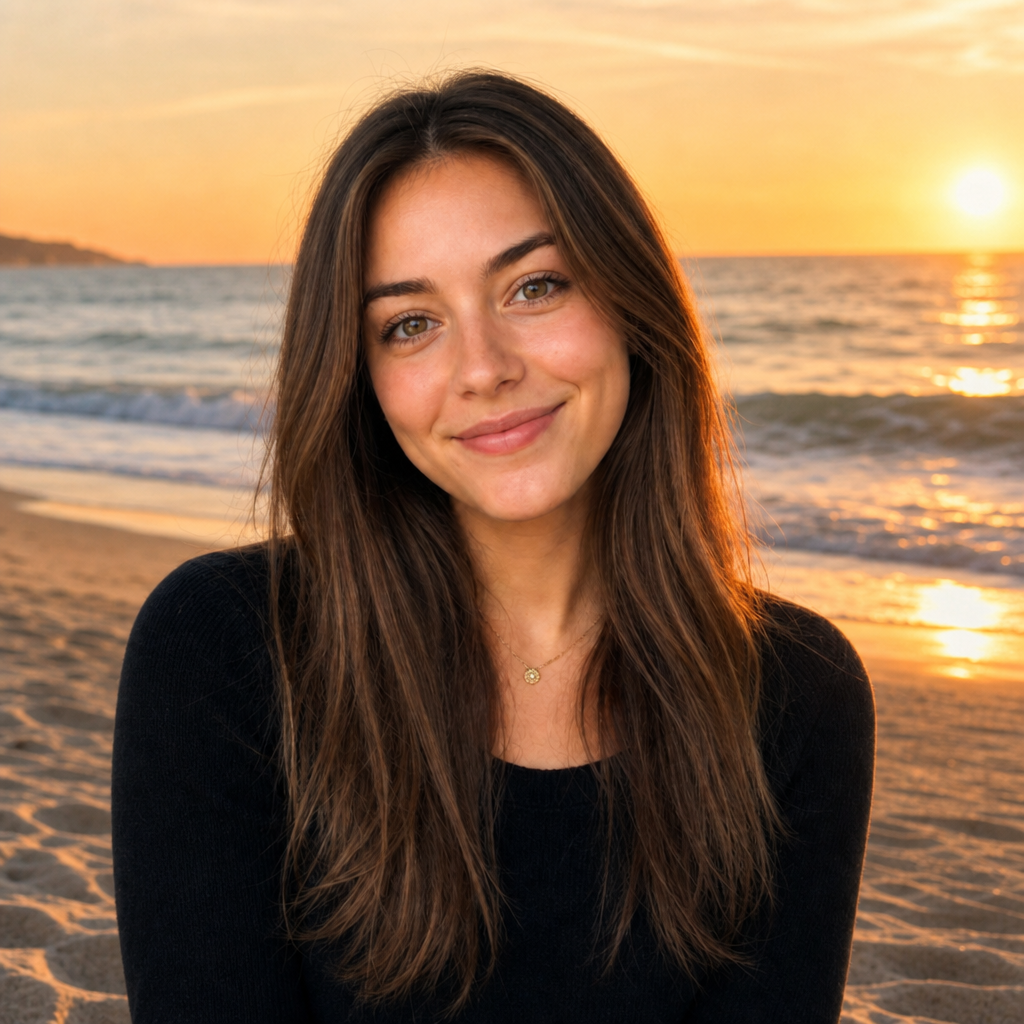
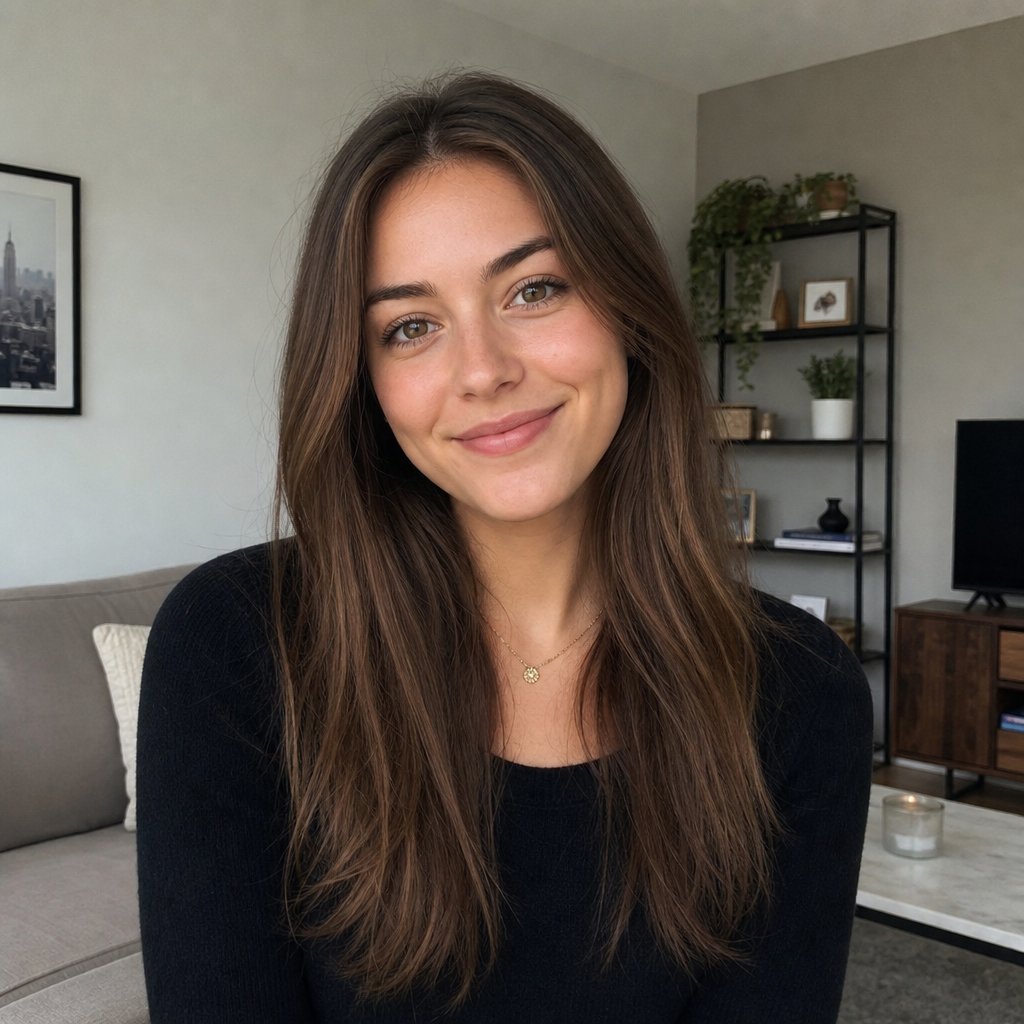
Background Changed by AI
The cluttered indoor background is replaced with a sunlit outdoor scene, while the subject's pose, lighting direction and edges stay natural.
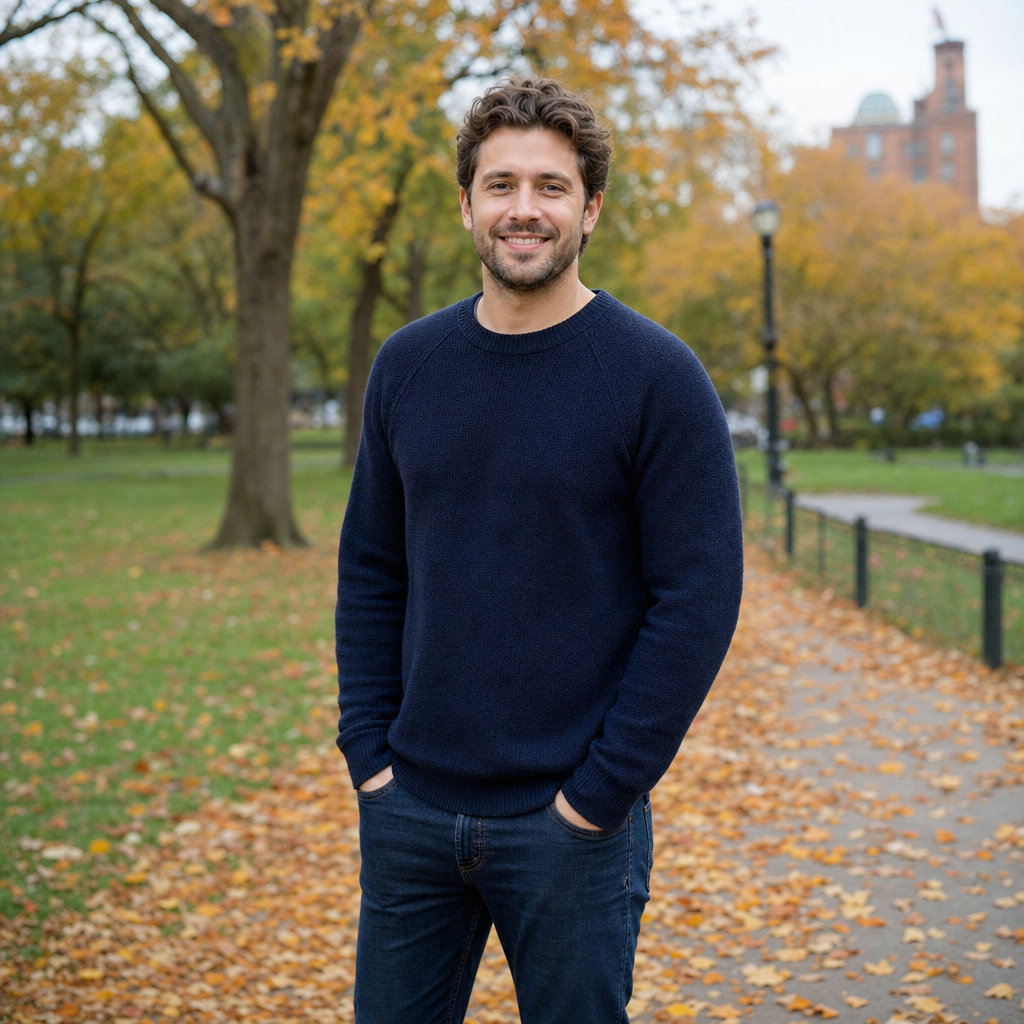
Style Changed by AI
A regular photo becomes a soft watercolor painting in one step, with the composition and subject fully preserved.
Outfit Changed by AI
A casual outfit is swapped for a formal business suit, matching the original pose and lighting without a new photoshoot.
Object Changed by AI
One object on the table is replaced with another, and the AI image changer blends it into the same shadows and perspective as the original scene.
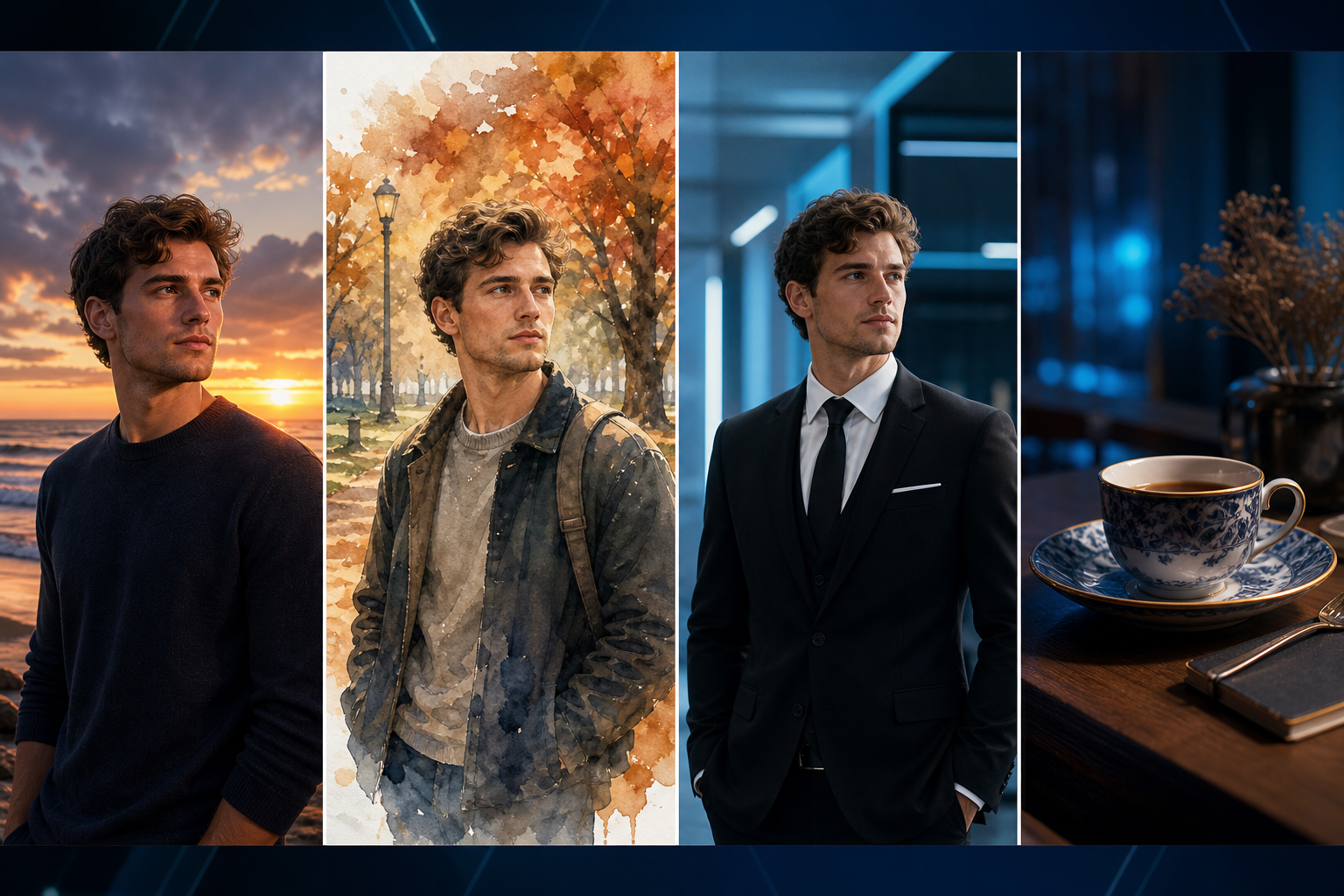
Change the background, change the style, change the outfit — describe it once, and this AI image changer handles the rest, photo after photo.
AI Image Changer vs Manual Editing
Three ways to change a photo, and how they really compare once you factor in software, skill and waiting time.
| Method | Skill Needed | Speed | Consistency |
|---|---|---|---|
| Manual Photoshop Editing | Masking, layers, and years of practice | 20–60 minutes per photo | Depends entirely on the editor's skill |
| Freelance Designer | None needed from you, but a full brief is required | 24–48 hours turnaround | Varies between designers and orders |
| AI Image Changer | Just a plain-language description | Under a minute | Same quality result on every single photo |
An AI image changer skips the software learning curve and the waiting time of a freelancer, turning a plain-language description into a finished photo in under a minute.
AI Image Changer FAQ
Common questions before trying this AI image changer for the first time.
What is an AI image changer?
How does an AI image changer work?
What is the difference between an AI image changer and an AI image editor?
Is there a free AI image changer?
Can I change the background of a photo with AI?
Can AI change the style of my photo?
Does the AI image changer keep results realistic?
What image formats does the AI image changer support?
Can I change more than one thing at once?
Start Changing Your Images Today
Join creators, sellers and marketers who use this AI image changer to swap backgrounds, styles, outfits, colors and objects in seconds instead of hours in Photoshop.
- Change backgrounds instantly
- Change photo styles
- Change outfits and colors
- No design skills needed
- Free to start, no sign-up
- Results in under a minute