Upload your selfie
Use one clear JPEG, PNG or WebP, with your whole head visible and space below the shoulders. Your long hair preview starts from this photo, so choose a view in which you can recognize your face and current hairline.
See a longer-hair idea on your own face before growing it out or booking extensions.
Create a long hair preview from one selfie. Choose shoulder length, chest-length waves or straight hair, then describe what should stay the same. Start with one change so you can recognize yourself and compare the hair.
Choose a look, upload your selfie, then check the cost before generating.
My selfie
Max 50MB
2K isn't available for this aspect ratio — choosing it switches to 1:1.
AI-generated illustration
A long hair preview concept: the same fictional woman with a short bob and chest-length waves. AI-generated illustration; actual editing results vary.
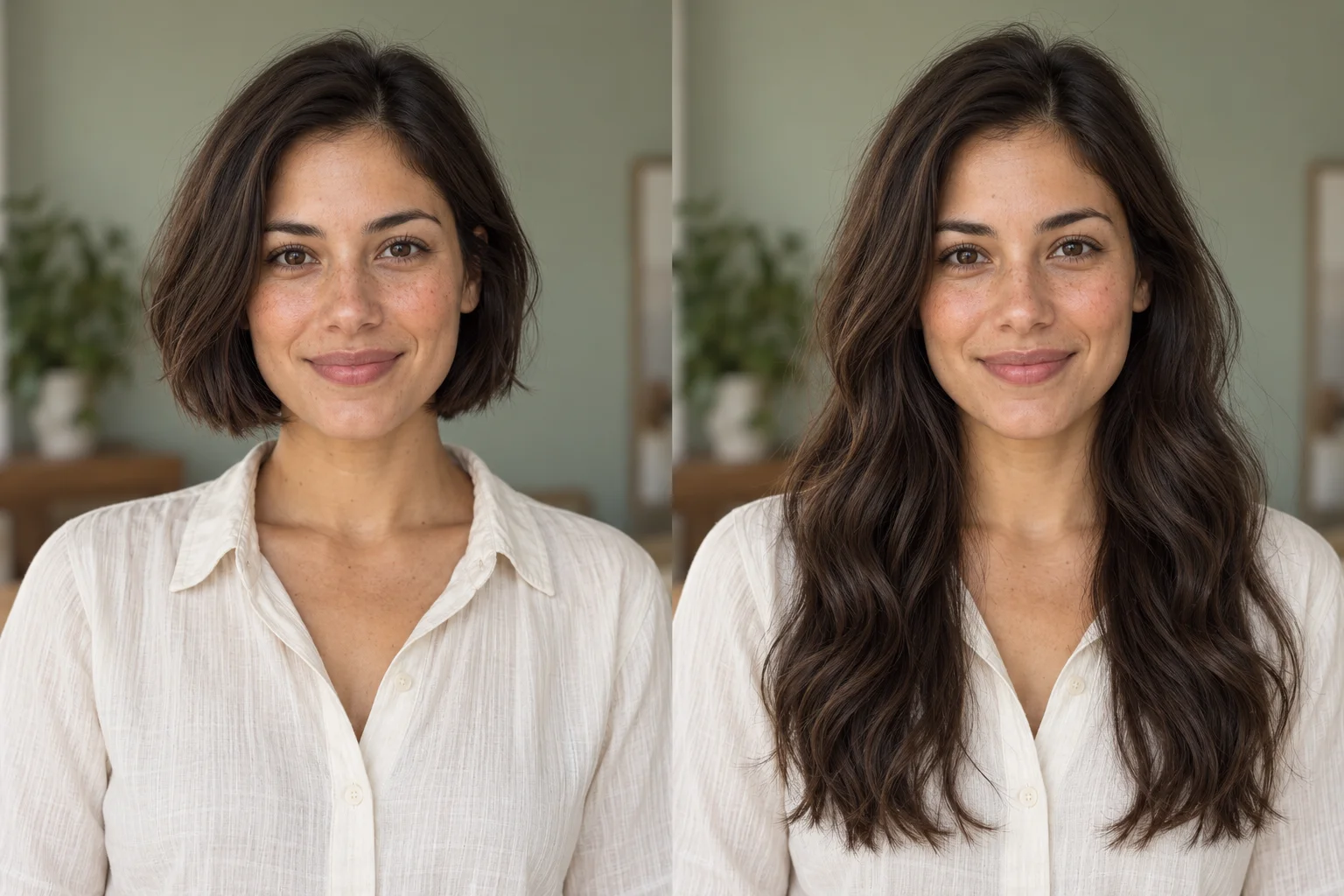 Short bobLong waves
Try this long hair preview instruction
“Extend the hair to chest length with gentle natural waves. Keep the original hair color and parting. Preserve the exact face, expression, skin texture, pose, clothing, background, lighting and crop. Change only the hair; use a natural hairline and realistic strands.”
Not sure how long to go? Compare where the ends fall in this long hair preview illustration. For your own long hair preview, use the same photo, color and parting while changing only length. Shoulder-length hair and chest-length hair create different outlines around your shirt.
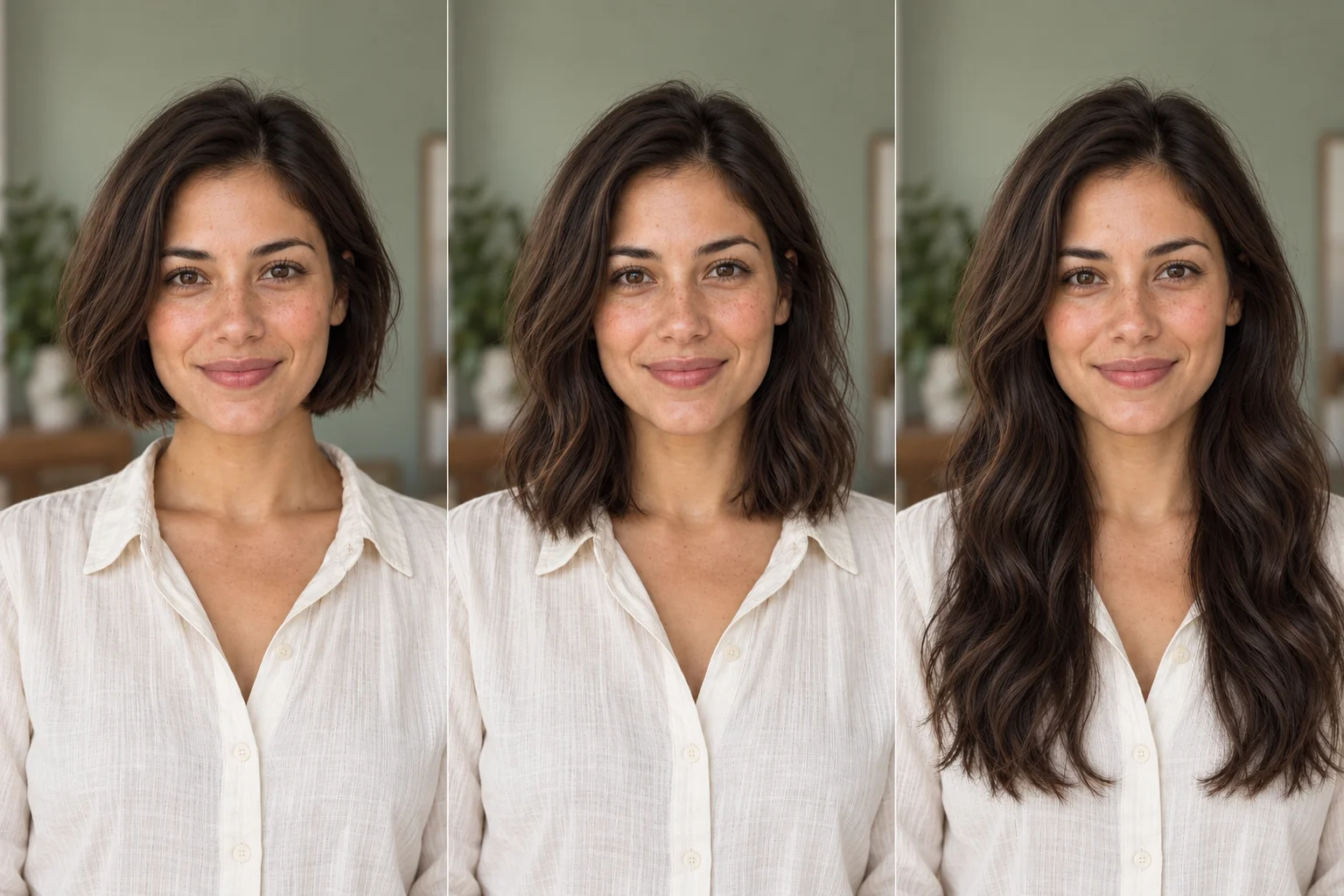
The long hair preview form accepts one photo and an editable instruction. Choose a shortcut or image example, adjust the prompt and upload. No mask or hairstyle design tool is needed.
Use one clear JPEG, PNG or WebP, with your whole head visible and space below the shoulders. Your long hair preview starts from this photo, so choose a view in which you can recognize your face and current hairline.
Click a style example to fill its instruction. Adjust the length for your first long hair preview. Upload your portrait, check the resolution and credit cost, then generate.
When your long hair preview finishes, compare the face and hair against the original. Download a useful result for your own reference or stylist. To compare another length fairly, use the same original photo rather than editing the generated result again.
These separately AI-generated illustrations explain three long hair preview requests. Use the button below a picture to load its instruction into your editor. Actual results depend on your photo.
This long hair preview idea keeps the brown color and adds chest-length waves. Notice the fuller outline around the shoulders and the way the hair frames the cheeks. Choose this prompt when your question is about length and movement together.
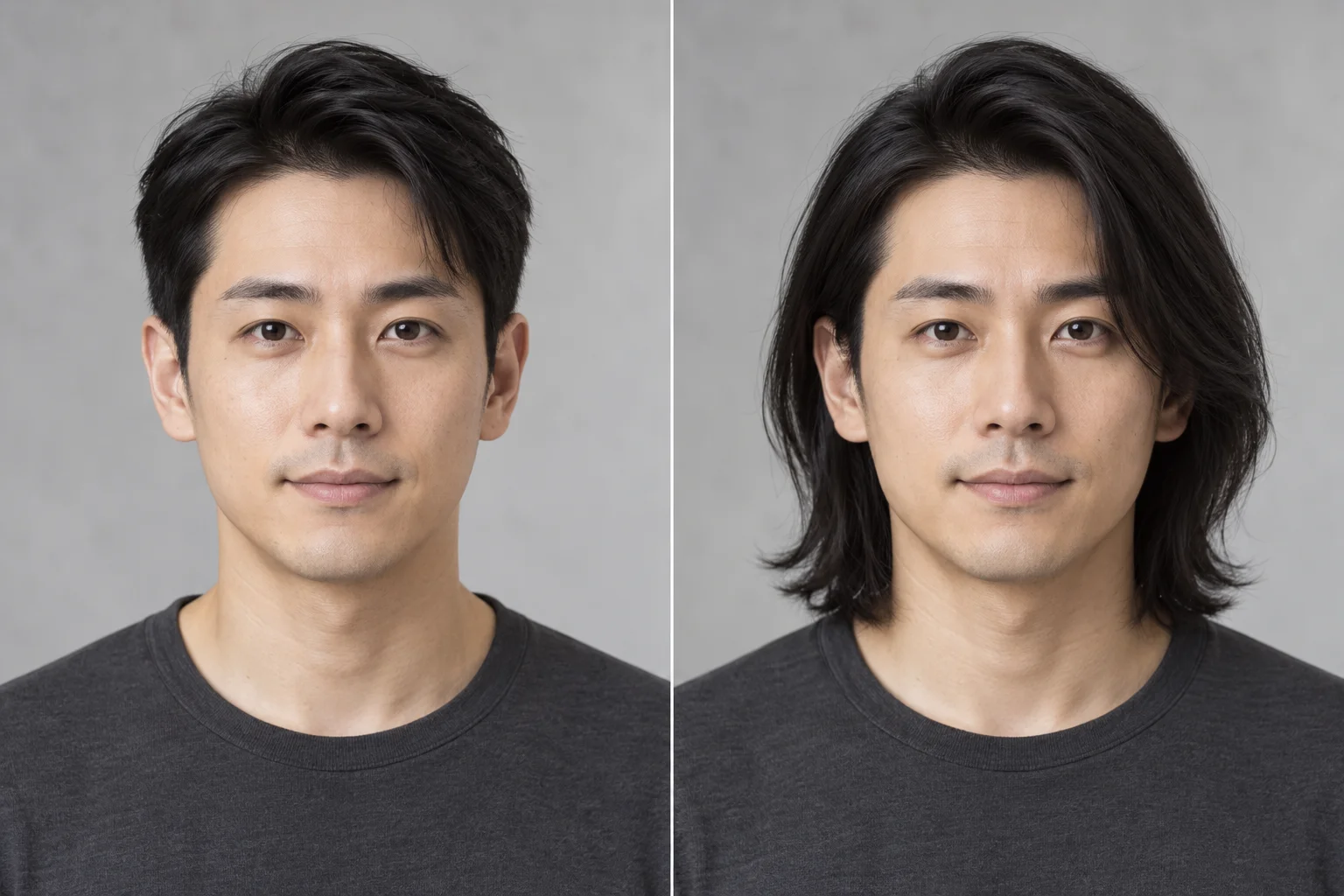
A long hair preview for men can start with shoulder-length hair and a familiar side part. Compare the outline around the jaw and neck while asking to keep facial features and clothing. The same editor accepts men’s and women’s portraits.
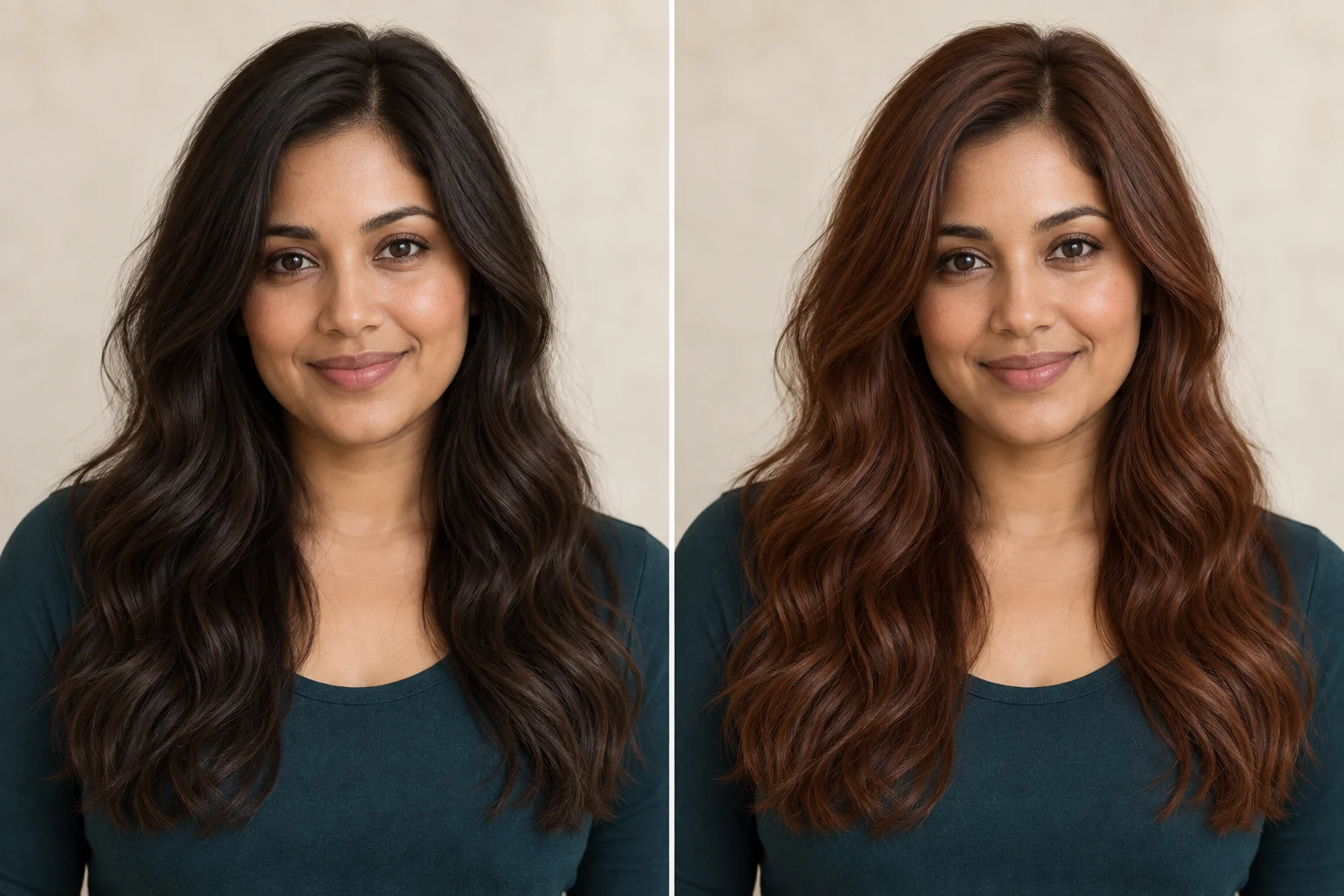
Keep the cut and change only the shade for this long hair preview idea. Brown and warm copper hair have the same length here. The image suggests a color direction, not an exact salon match.
Your long hair preview needs enough visual context to show both the person and the added length. A clear selfie and specific wording are more useful than a long list of beauty terms. Use these checks before submitting your long hair preview.
For a long hair preview, choose a well-lit front view or slight angle with room around the crown and below the shoulders. Avoid hats, strong filters and objects crossing the face. Use a single-person portrait.
A clear long hair preview request is “Extend my hair to the shoulders, keep the original color and parting.” Replace shoulders with upper chest for more length. Include straight hair, loose waves or natural layers only when those details matter to your comparison.
For your long hair preview, ask to preserve your face, expression, skin, pose, clothing, background, light and crop. The shortcuts include these instructions. They communicate your preference without guaranteeing that every facial detail remains unchanged.
The useful question is whether you recognize yourself with that hair, not whether the result is simply attractive. Check your long hair preview beside the original before using it as a reference. Reject a comparison that changes the person.
In your long hair preview, compare the eyes, nose, smile, jaw and skin texture. The forehead and parting should remain plausible. If the face drifts, try a clearer source or narrower instruction; a different-looking person cannot answer your original question.
Zoom into your long hair preview around ears, glasses, neckline and shoulders. Check for blurred strands, unexpected skin or shirt changes, and broken background lines. Dark or obscured hair can be difficult input. A useful picture should make the chosen length easy to identify.
Use this table to turn a question into a specific long hair preview instruction. Each variation is a separate generation, so start with the uncertainty that matters most to you.
| Your question | Start with this request | What to compare |
|---|---|---|
| Shoulder length or chest length? | A shoulder-length long hair preview, then a chest-length version. | Where the ends fall around the neck, shoulders and shirt. |
| Straight hair or waves? | Keep length and color; change only texture in the long hair preview. | Hair outline, volume and the view of your face. |
| Would a different color suit me? | Keep the cut; request copper, brown or your chosen tone. | The shade beside your face under the same lighting. |
Direct answers before you upload a selfie or choose your next style.
Yes: upload your portrait, choose a longer style and generate a long hair preview. It is an AI visual idea on your photo. Compare it with the original before deciding whether that particular length or shape is worth exploring.
Create a long hair preview for each length using the same original photo, color and parting. The length illustration above shows what changes visually. Each submitted request creates its own task; there is no automatic three-style bundle.
Yes. The long hair preview takes a portrait and hairstyle instruction, without a gender-specific mode. The men’s example shows a shoulder-length direction. Ask to keep your face, beard if present, clothing and background while changing the hair.
Yes: describe curls, loose waves or face-framing layers in your long hair preview instruction. Specify length and keep the original color. These are editable style requests, not a prediction of how your natural hair will behave.
The long hair preview prompt asks to retain your face, but generative edits can still alter it. Check the eyes, jaw, smile and skin against the source. If identity changes noticeably, do not use that result to judge the hairstyle.
Yes. Use Short bob and describe chin length or another cut. Your long hair preview and short-hair edit use the same form. Check any newly exposed neck or clothing, and compare both images against the same original portrait.
Type your preferred shade and ask to keep the length and texture. For a long hair preview with color, use Copper tone as an editable starting point. The output is an approximate screen appearance, not a promised salon dye result.
Yes. A long hair preview can start with a clear phone photo in JPEG, PNG or WebP. Include the whole head and shoulders, use natural light and avoid strong filters. Only upload photos you have permission to edit.
The long hair preview follows the existing Editaimg free quota and credit system. When signed in, the generate button shows the selected model’s credit cost. If free availability is exhausted, sign in to continue. Each new generation is a separate task.
No. A long hair preview uploads the image and uses the existing server and AI workflow. Processing does not happen only in your browser. Read the privacy policy and choose a photo you are comfortable uploading; no immediate-deletion guarantee is added here.
A long hair preview helps you compare your own preferences. It does not diagnose face shape or guarantee the best cut. Show a useful image to your stylist to discuss actual density, texture, maintenance and whether that shape is achievable.
Yes. When your long hair preview task succeeds, use Download on its result card. The editor offers 1K and 2K under its usual aspect-ratio restrictions. A higher resolution gives a larger image, not a guarantee of a better hairstyle.
This long hair preview focuses on hair. For a broader edit, use the general image editor linked below. It uses the same editing capability; changing the scene at the same time can make a hairstyle comparison harder to judge. AI Image Changer · Editaimg image editor
Choose a style, upload your selfie and create a long hair preview. Compare it with your original, then download a favorite for yourself or your stylist.
Create my long hair preview