Watch photo retouching removes crystal glare
Window, lamp and ceiling reflections come off the crystal, so buyers see the dial — while the crystal still reads as glass, not as an open dial.
Watch photo retouching for dealers, Chrono24 and eBay sellers
Crystal glare off. Dial untouched.
Upload the watch photo you already have — on a desk, a cushion or in your hand — and watch photo retouching gives you back a catalogue shot on pure white: no window glare on the crystal, no dust or fingerprints on the case, polished metal, and the dial, logo, hands and date exactly as you shot them.
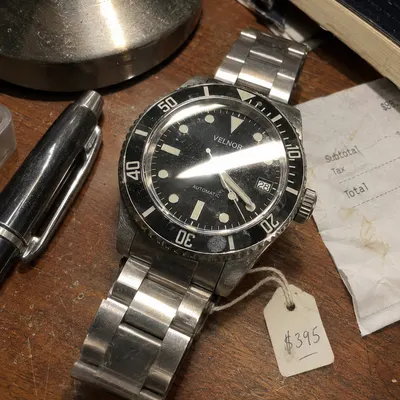
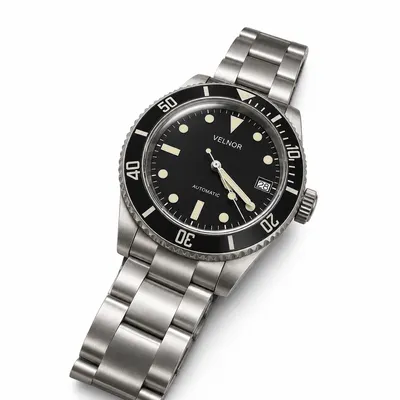 After
Upload a watch photo and get a clean white-background catalogue shot with the crystal glare removed — ready for Chrono24, eBay or your shop.
Upload your watch photo here
Max 50MB
1:1 is the default for white-background catalogue shots — ideal for Amazon, Etsy and Shopify listing images.
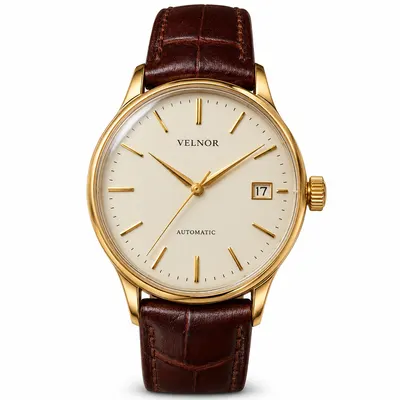
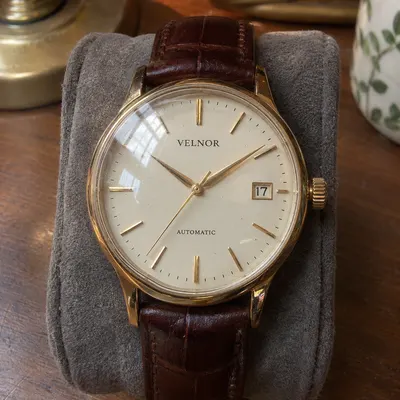 OriginalRetouched
One upload, one listing-ready watch photo.
Watch photo retouching takes one watch photo and returns a clean catalogue image. Upload the photo and press Retouch: watch photo retouching removes reflections from the crystal, cleans dust and fingerprints off the case and bracelet, polishes the metal and places the watch on pure white, while the dial text, logo, hands, date and every case detail stay as photographed. Each watch photo retouching result is ready in about a minute, in up to 3K, with an optional transparent PNG.
Watch photo retouching before and after
Drag the slider. Each pair is the same photo before and after one watch photo retouching pass with the default settings — no manual editing in between.
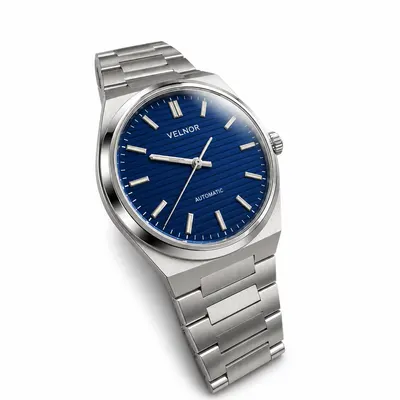
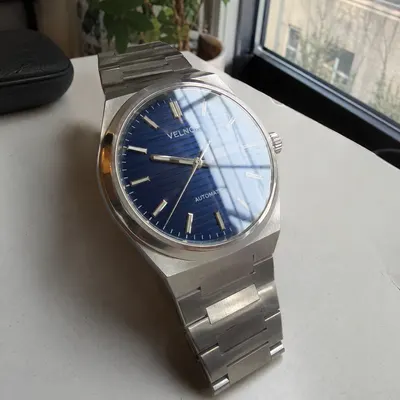
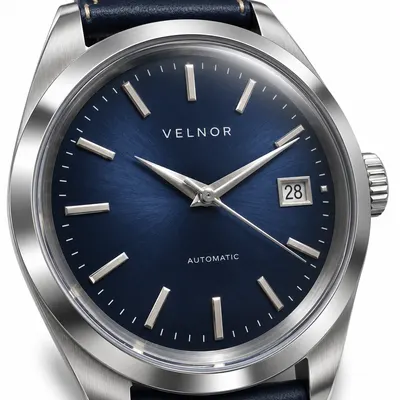
Half the dial was hidden behind a bright window reflection. After watch photo retouching the crystal is clear, still visibly glass, and the blue sunray dial reads exactly as it does in hand.
Try watch photo retouching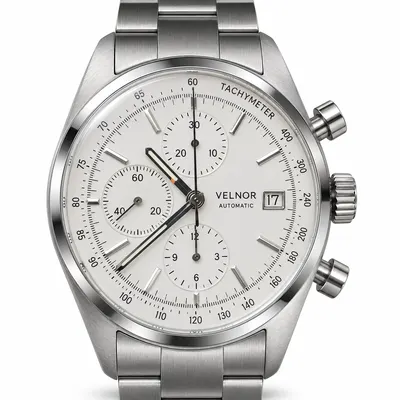
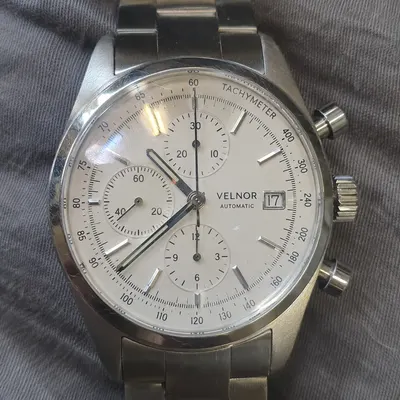
Three sub-dials, a tachymeter scale, a date window and fine print. Watch photo retouching cleans the crystal and the case and keeps every scale, number and hand where it was.
Try watch photo retouching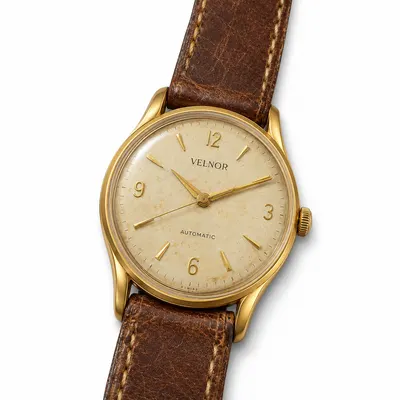
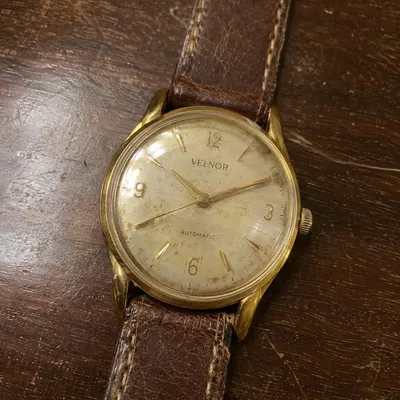
Warm room light, dust and light scratches. Watch photo retouching corrects the colour cast and cleans the crystal while keeping the patina that collectors pay for.
Try watch photo retouchingWhat watch photo retouching fixes
Watches are glass and polished metal, so every seller fights the same four problems. Watch photo retouching handles all of them in a single pass, on every photo in your queue.
Window, lamp and ceiling reflections come off the crystal, so buyers see the dial — while the crystal still reads as glass, not as an open dial.
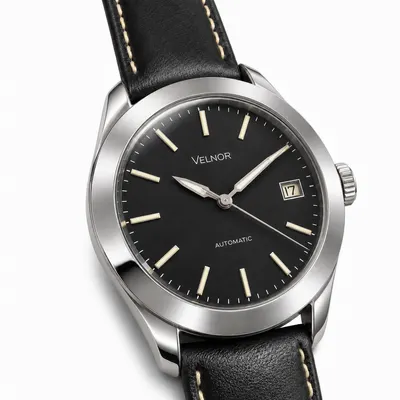
Lint, dust and fingerprints disappear from the case, lugs, crystal and bracelet, the marks every phone photo picks up.
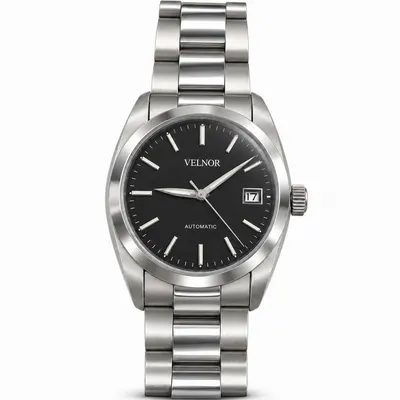
Metal gets clean, controlled highlights, and brushed surfaces stay brushed while polished ones stay polished, just as the watch was finished.
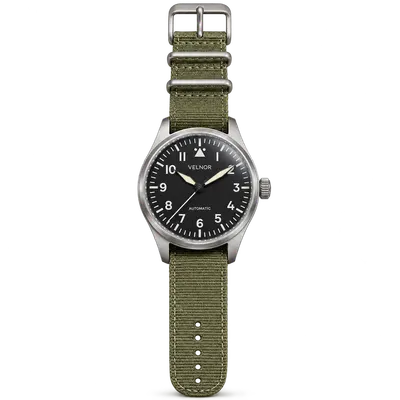
Pure white for marketplace listings, or switch on Transparent PNG and drop the watch onto any banner, newsletter or website.
Watch photo retouching keeps your dial
Buyers zoom in on the dial first. Watch photo retouching is built to clean around the dial, never to repaint it, so the watch in the photo is the watch you ship.
Who uses watch photo retouching
Watch photo retouching turns intake photos into a consistent catalogue without a light tent for every piece.
Clean main images from watch photo retouching make a listing look like it comes from a serious seller.
Matching white-background shots across the whole range, including new arrivals shot quickly on the counter.
One good photo of the watch you are selling, without booking a photographer or buying a light box.
How watch photo retouching works
A phone photo is fine. Shoot the dial straight on and as sharp as you can; JPG, PNG or WebP up to 50 MB works for watch photo retouching.
Precise & Natural for faithful detail, Vivid & Fast for more sparkle. Choose 1:1 for listings, up to 3K, and an optional transparent PNG.
The credit cost shows on the button before you start. Have a full intake? Switch to Batch and run watch photo retouching on up to 10 photos in one go.
FAQ
What watch sellers ask before they try watch photo retouching on their first photo.
Yes. Watch photo retouching removes window, lamp and ceiling reflections from the crystal and leaves a faint, natural reflection, so the crystal still looks like glass rather than an open dial.
Watch photo retouching is built to keep the dial exactly as photographed: brand name, logo, numerals, indices, sub-dials, date and hand positions. Fine print comes through best when the dial is sharp and shot straight on.
Most watch photo retouching results are ready in about a minute. Large batches run one photo after another, so a full intake of ten watches is done in minutes rather than the days a retouching studio needs.
Precise & Natural is the default for watch photo retouching because it stays closest to the original detail. Vivid & Fast adds more contrast and sparkle and suits gem-set bezels or a punchier shop style.
Yes. Sign in, switch the form to Batch and upload up to 10 photos; watch photo retouching submits them one after another with the same settings, and you can download the finished results together.
Yes. Switch on Transparent PNG and watch photo retouching removes the white background and the shadows, ready for banners, newsletters or your own site.
Choose 1K, 2K or 3K. 2K is plenty for Chrono24 and eBay listings; 3K gives extra room for zoom and print.
Yes. Watch photo retouching gives you a clean, evenly lit watch on pure white, the look buyers expect from a main listing image on Chrono24, eBay, Shopify or your own shop.
Yes. Watch photo retouching corrects yellow room light and dust on vintage pieces and keeps patina, aged lume and the warm tone of gold cases, so a vintage watch still looks its age.
A retoucher works one photo at a time and usually takes a day or more per batch. Watch photo retouching runs the same clean-up on every photo in about a minute, at a fraction of the cost per image.
A photo of the watch on its own, with the whole case in frame and the dial in focus. Desk, cushion or box backgrounds are fine — watch photo retouching replaces them with white.
New accounts get free credits to try watch photo retouching. After that, credit packs are a one-time payment with no subscription, and the credits do not expire.
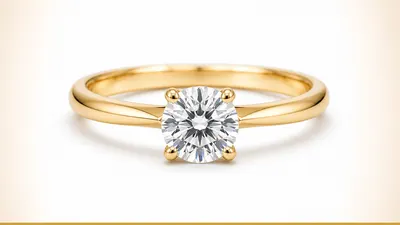 Jewellery RetouchThe same catalogue retouch for rings, necklaces and earrings.
 AI Product PhotographyPlace a product photo into lifestyle and seasonal scenes.
 Edit Text on Product ImageChange prices, badges and packaging text on listing photos.
 Image UpscalerGet an older photo at 2x resolution with detail kept.
Upload a watch photo, let watch photo retouching clean it in about a minute, and list the watch with a sharp, glare-free image that looks the way it does in hand.
Start watch photo retouching