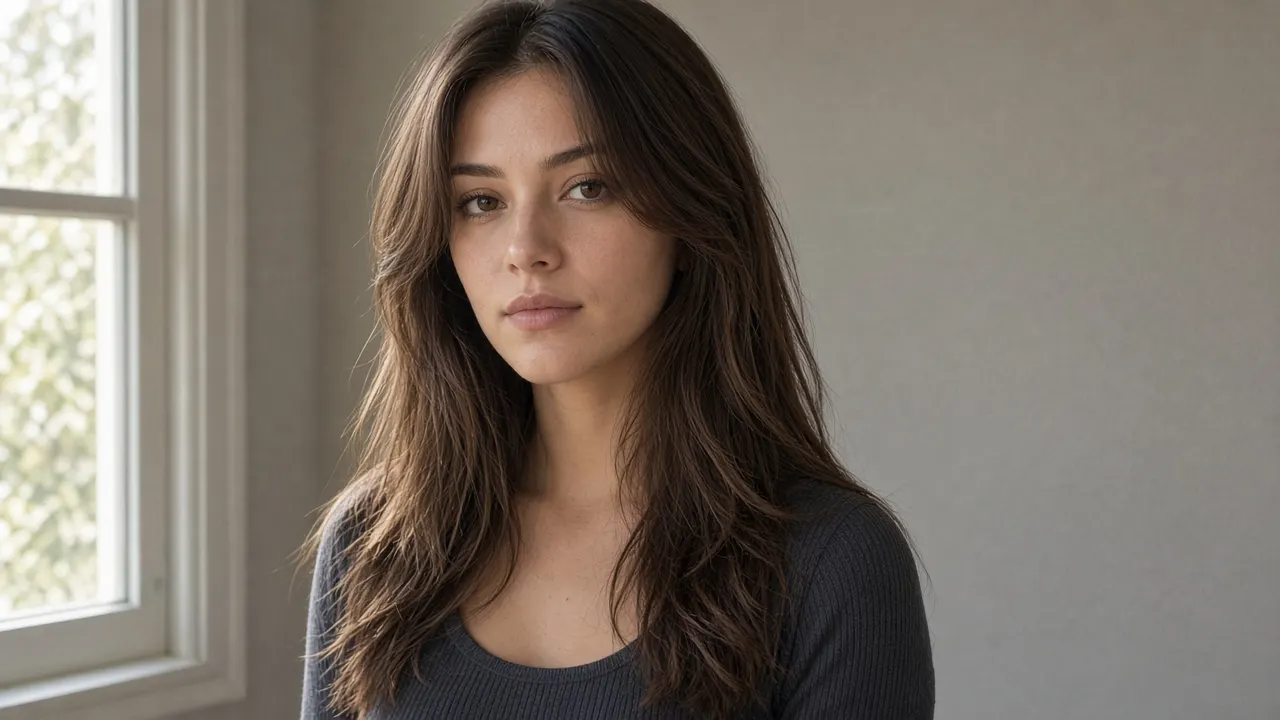
Butterfly Haircut on Your Own Photo (2026)
A butterfly haircut keeps the length down your back and cuts the hair around your face much shorter. From the front it can look like a shorter cut. Those front pieces are the part you cannot grow back before the next event.
The photos that rank for this haircut are other people's faces, usually blown out and thick. A face-shape list still does not show where a cheekbone layer would land on your jaw. The picture worth taking to the chair is one of you, with only the hair changed.
What a butterfly haircut actually cuts
Stylists describing the cut in 2026 treat it as two lengths, not one even layer. L'Oréal Paris calls it short face-framing layers plus longer layers through the rest of the hair. Los Angeles stylist Beau Dieda, quoted in W, puts the short pieces from about the cheekbone to the collarbone, with longer hair underneath. From the front it reads shorter and fuller. From the back, the length is still there.
That front-to-back difference is the decision. Allure quotes stylist Sunnie Brook on the same idea: an illusion of short hair while the length stays. A front-facing blowout photo hides the hair you would still tie up.
Butterfly haircut, layered cut, wolf cut, octopus cut
Captions swap these names. The shapes are different, and the photo you point at is the one that gets cut.
| Cut | Short pieces | Longer hair | Finish |
|---|---|---|---|
| Butterfly haircut | Around the face, from the cheekbone toward the chin or collarbone | Through the back, so the perimeter stays long | Soft, feathered, flicked away from the face |
| Classic layers | Spread through the length | Similar length all the way around | Structured, with less contrast from front to back |
| Wolf cut | Choppy pieces through the crown, often with a heavier fringe | Shaggy lengths, with more hair removed up top | Separated and piecey |
| Octopus cut | A rounder, fuller crown | Longer pieces that hang past the shoulders | Stronger contrast, more sculpted |
Allure's 2025 piece uses "butterfly" and "octopus" as one name. L'Oréal's 2026 guide splits them: butterfly layers are feathered and blended, while an octopus cut keeps a rounder crown and longer, more separated ends. If a photo could be either, say which contrast you want before anyone picks up scissors.
A wolf cut is the other mix-up. L'Oréal puts it on the shaggy side: more texture through the crown, often a heavier fringe, and a choppier outline than the butterfly cut's feathered one. If you want the softer shape, ask for feathered, blended layers and show the left side of the picture below. The right side is the choppier cut.
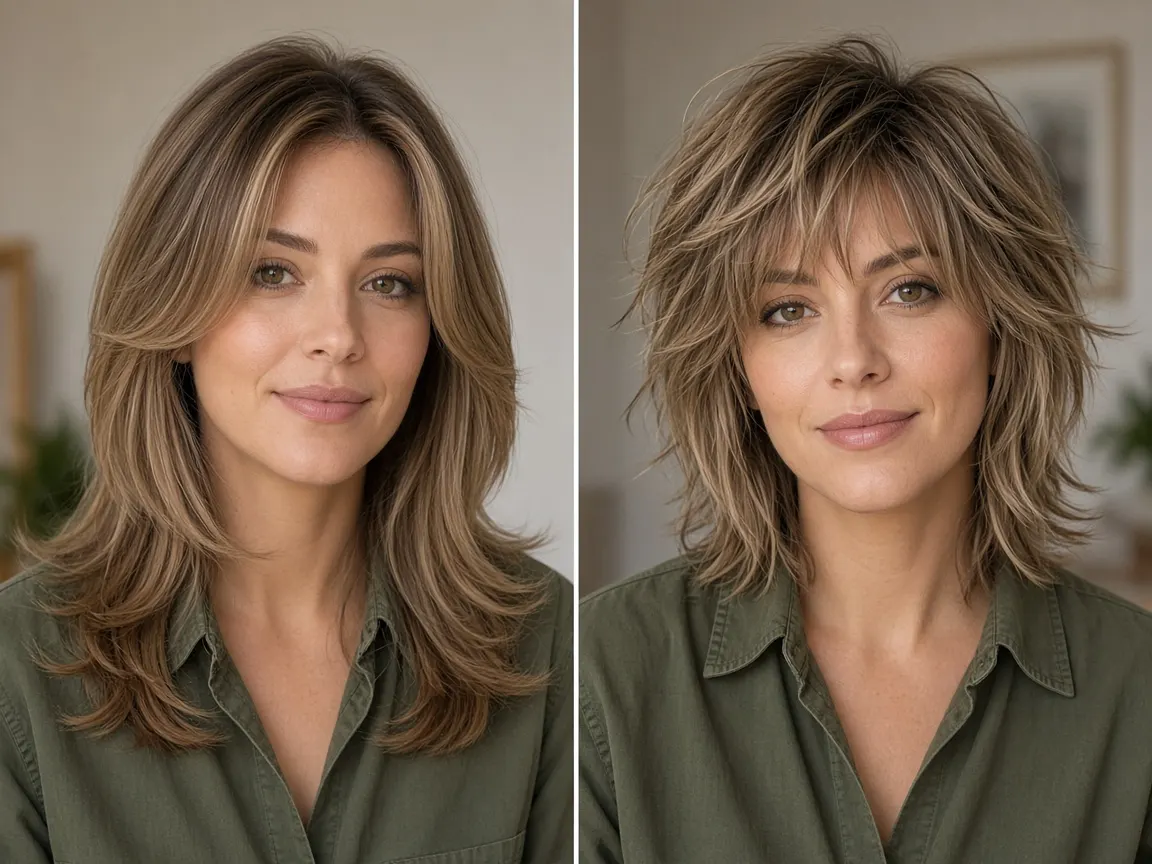
These pairs are illustrations of the shape, not screenshots from the editor. A preview on your photo depends on the picture you upload.
Where the short layers should start
The choice is where the shortest pieces stop.
- Near the cheekbone. L'Oréal suggests this when the face is rounder, because the eye travels up. W says the same placement can open a softer face. It also removes the most length from the front.
- Near the chin. L'Oréal suggests longer, softer pieces here for a more angular face, including heart and diamond shapes. You keep more of the front length.
- With curtain bangs. For a longer face, L'Oréal pairs the cut with curtain bangs or a side-swept fringe so the forehead is not left as a tall empty panel. W suggests softer, feathered layers when the jaw is square.
Treat that as a starting brief. A chart cannot see your density, your current ends, or a cowlick at the part. If you are unsure, preview cheekbone layers and chin layers as two separate edits of the same photo, then pick the one you still recognize.
Length, thickness, and curl change the same request
The two-tier shape has room when the hair is already at the shoulders or longer. Shorter butterfly cuts exist, and they lean on the face-framing pieces, because there is less length left behind you.
Thick hair is why a lot of people ask for this cut: the layers take weight out so the ends are not a heavy block. Fine hair is the opposite problem. Stylists quoted by Allure say the full effect needs density, and L'Oréal warns that heavily razored ends can look thin. On fine hair, ask for the face-framing pieces and a blunter perimeter.
Curly and coily hair shrinks as it dries. A wet cut can leave a "cheekbone" layer sitting on the jaw once it springs up. L'Oréal suggests asking about a dry cut when shrinkage is part of the hair, and naming the landmark you want on dry hair.
Someone else's photo skips the cut you cannot undo
A salon can copy a layer placement from a reference and still miss your face. That photo never had your hairline, your ears, or your current length. The short front pieces are also the ones that lose the shape first. Beau Dieda, in W, puts a shape refresh at about eight to twelve weeks and says a quick cut around the face is often enough. L'Oréal's note is closer to six to eight weeks. Either way, you live with those short pieces between appointments.
Look at them on your own head before the appointment. A generated preview is a way to reject a shape while your length is still intact. It is not the haircut, and it does not tell you which style suits you best.
Preview a butterfly haircut on your own photo
Editaimg's long hair preview takes one portrait and one instruction. There is no butterfly preset. You describe the two lengths, and you say what must stay. The form does not ask you to paint a mask. It also does not return three hairstyles from one click. Each look is its own generation, so a comparison starts from the original photo.
- Use one clear photo of you: the whole head, a little room below the shoulders, a front view or a slight angle, no hat, one person. A phone JPEG, PNG, or WebP is enough when the face is sharp.
- Change only the haircut on the first try. Keep your color and your parting. A new color in the same request makes the layers harder to judge.
- Paste an instruction that names both lengths. The one below asks for cheekbone layers and keeps the back long.
- When it finishes, put it next to the original. If the face moved, do not use that file as a salon reference.
Cheekbone version, written so it matches the preserve line the preview form already uses:
Change the hair to a butterfly haircut. Add shorter, soft face-framing layers that start around the cheekbones and blend into longer layers. Keep the current length at the back, past the shoulders. Feather the layers and keep them blended. Keep the original hair color and parting. Preserve the exact face, expression, skin texture, pose, clothing, background, lighting and crop. Change only the hair; use a natural hairline and realistic strands.
For a chin-length start, replace the second sentence with "Add shorter, soft face-framing layers that start around the chin and blend into longer layers." For curtain bangs, add "Include soft curtain bangs that part in the middle and blend into the face-framing layers."
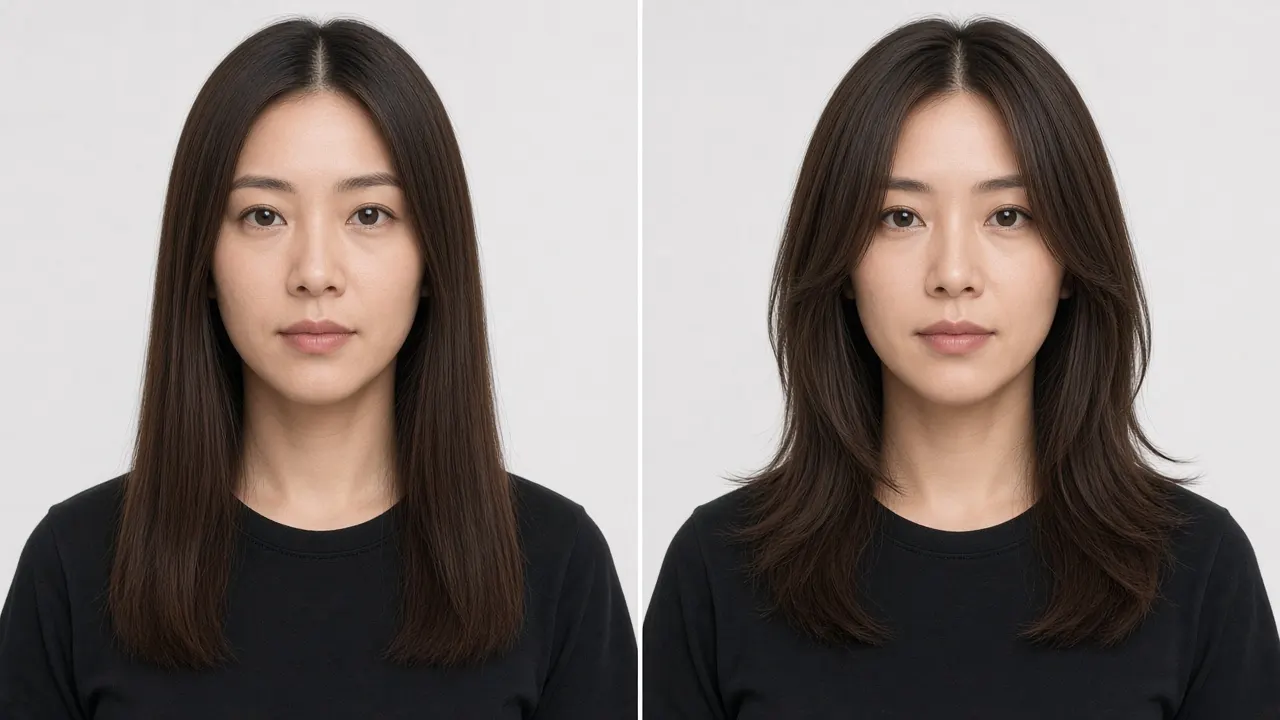
See the short layers on your face
Upload one photo, ask for cheekbone or chin layers, and keep the back long. Compare the result with the original before you book.
Preview a butterfly haircut →Check the preview before you show it to anyone
The instruction asks the editor to keep your face. A generative edit can still move it. On the long hair preview, compare the eyes, nose, smile, jaw, skin, forehead, and parting with the source. If those shifted, the hair is sitting on a different person.
- The pieces around the cheeks should be clearly shorter than the hair behind the shoulders. If both lengths collapsed into one bob, run it again from the original with a narrower instruction.
- Ears, neckline, glasses, and the shirt should still match. A new collar or a broken background line means the edit redrew more than hair.
- If your hair is fine and the preview looks very full, tell the stylist you want fewer layers. The picture can add density you do not have.
- Leave the background and the clothes alone. A second change makes the haircut harder to judge. Wider edits belong on the AI image changer, not in this comparison.
The generate button shows the credit cost for the resolution you picked. After the free allowance, you sign in, and each new look is its own task. Download the file you would hand over. A higher resolution is a larger file, not a more accurate haircut. The photo uploads to the existing editor workflow. It does not stay only on your phone.
What to say in the chair
Bring the preview and one real photo of a butterfly haircut you still like. Say four things:
- Short face-framing layers starting at the cheekbone, or at the chin. Point at your preview.
- Keep the overall length. The back should stay long.
- Feathered and blended. No heavy fringe unless you asked for curtain bangs.
- Straight or wavy hair is often cut wet and finished dry. If your hair shrinks, ask whether the short pieces should be cut dry.
The shape shows up when the front pieces are dried away from the face and the ends are flicked out. That is the blow-dry Dieda describes in W. If you would rather skip the heat, air-dry until the hair is about three quarters dry, then twist a few front pieces away from the face. Heavy cream flattens the layers.
One check before you commit: pull the long hair back and leave the short pieces out. Allure describes that as the butterfly-cut ponytail. If you dislike your face with only those short pieces showing, you will dislike the haircut on the days you tie it up.
Questions to settle before you book
What is a butterfly haircut?
A butterfly haircut is a layered cut with short, soft pieces around the face and longer hair left through the back. From the front it looks shorter and fuller. Most of the length you still have sits behind you.
How is a butterfly haircut different from a wolf cut?
A butterfly haircut keeps the short work around the face and feathers it into the length. A wolf cut puts choppy texture through the crown and often adds a heavier fringe. Ask for feathered layers when you want the softer outline.
Does a butterfly haircut work on fine hair?
The full, airy version needs density. On fine hair, face-framing pieces plus a blunter perimeter keep the ends from looking sparse. Layers through the whole head are the request to skip.
Can I see a butterfly haircut on my own photo?
Yes. Upload one portrait to the long hair preview, name the short face layers and the long back, and compare the result with the original. It is a visual idea for you and your stylist, not a promise of how the cut will grow out.
Will the preview change my face?
It can. The prompt asks to keep your face, and you still compare the eyes, jaw, smile, and skin with the source. If you do not recognize yourself, do not use that image to choose the cut.
How often does a butterfly haircut need a trim?
The short pieces around the face lose the shape first. L'Oréal's guide suggests about six to eight weeks. Beau Dieda, in W, suggests eight to twelve, and says a face-only refresh is often enough.
Take your own photo to the stylist
A useful preview keeps your face and shows both lengths. If the face moved, generate again from the original photo.
Open the long hair preview →