How to Add Someone to a Photo with AI (Free, 2026)
What if you could add anyone into any picture after it's been taken? In the past, this required advanced Photoshop skills, hours of meticulous masking, and a lot of patience. But in 2026, you can get photorealistic results by simply clicking a button.
Whether you're trying to add someone to a picture they missed or creating a composite for a creative project, AI-powered tools like Editaimg have made this process accessible to everyone. In this guide, we'll show you exactly how to add a person to a photo so naturally that no one will know it's an edit.
🪄 Try It Free — No Photoshop Needed
Upload two photos, click Generate. Realistic results in seconds.
Real-World Examples: The Power of AI Addition
Seeing is believing. Here are two common scenarios where Editaimg's AI creates seamless results.
Scenario 1: Completing the Family Reunion
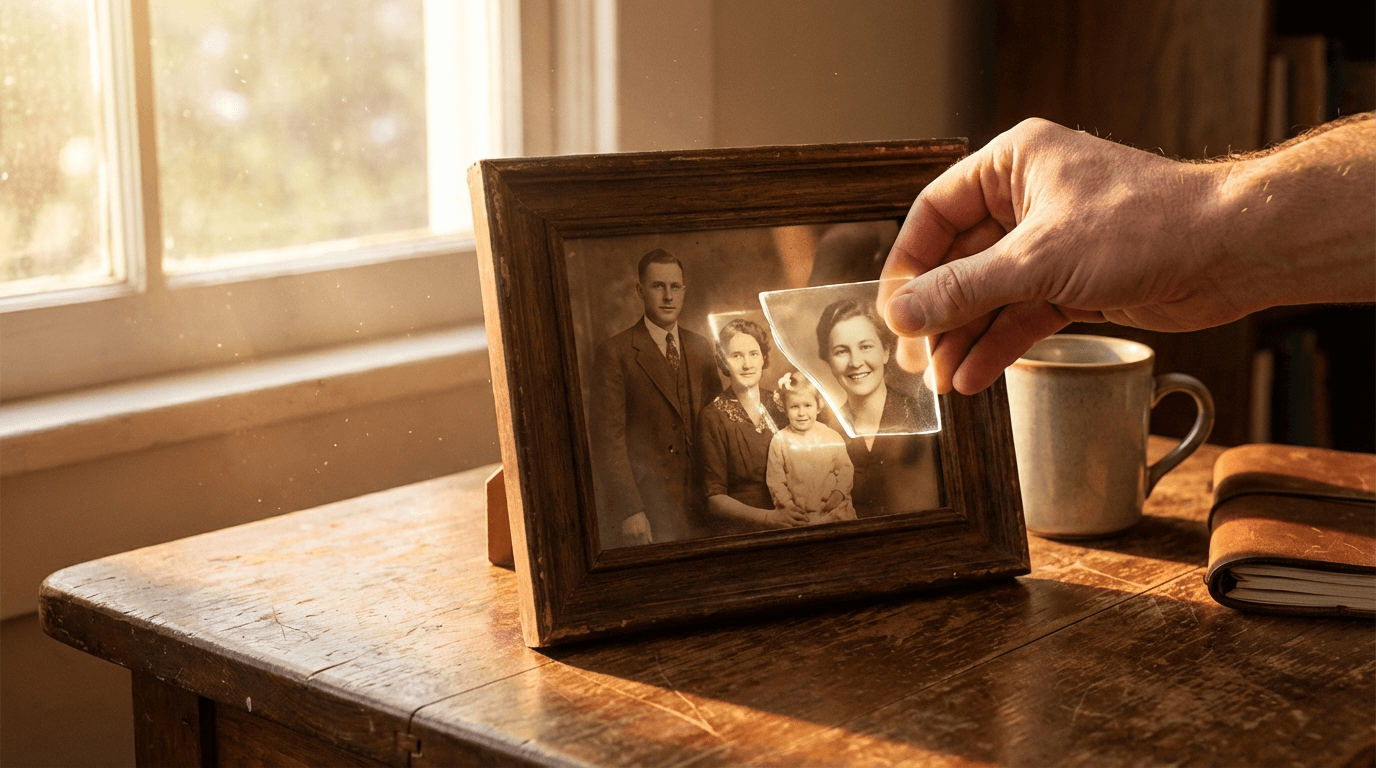
In this example, the father was missing from the original group photo. By using Editaimg, he was added into the scene with perfect lighting and perspective matching.

Original (Missing Father)

Result (Added Father)
Scenario 2: Connecting Friends Across Miles
Sometimes, distance or circumstances like an injury keep friends apart. Here, we take two travelers and a friend recovering in a hospital bed, and combine them into a single, heartwarming vacation memory.
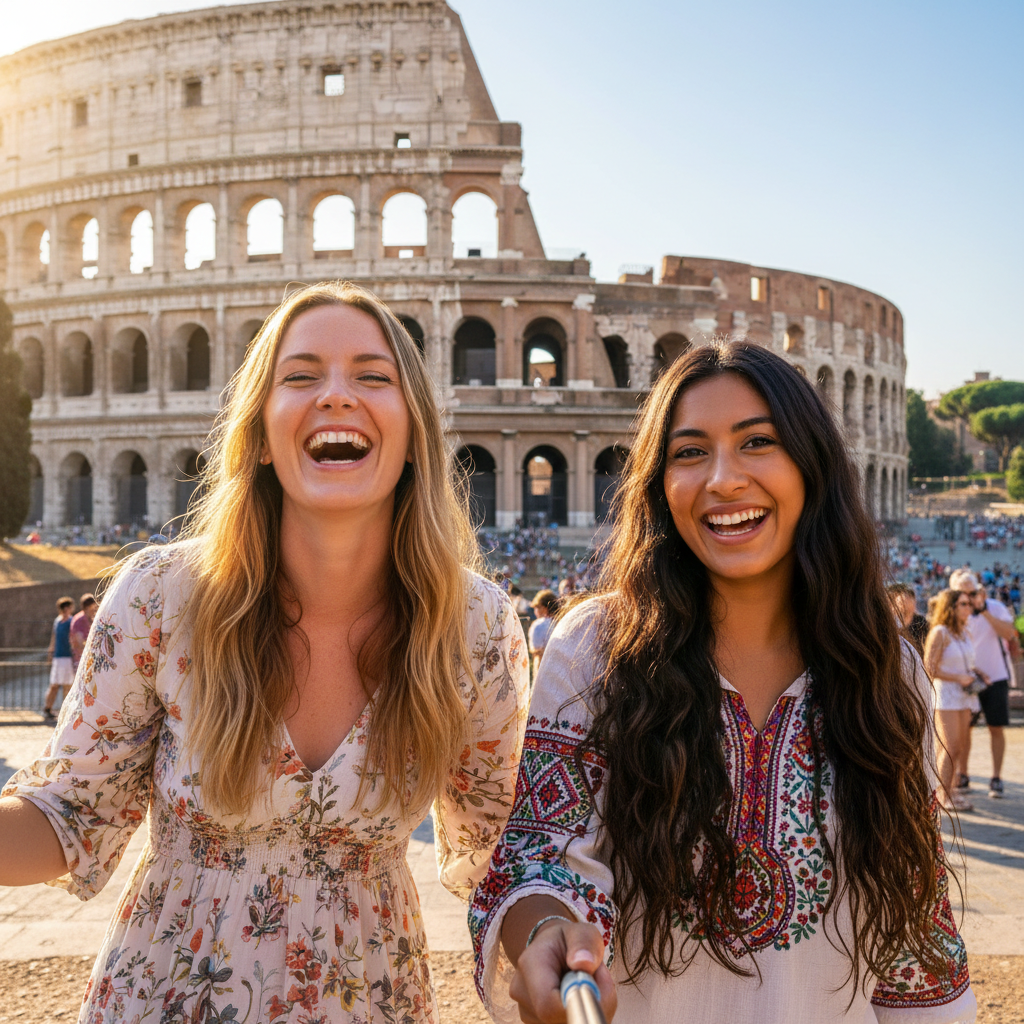
Background (Travelers)

Subject (Injured Friend)
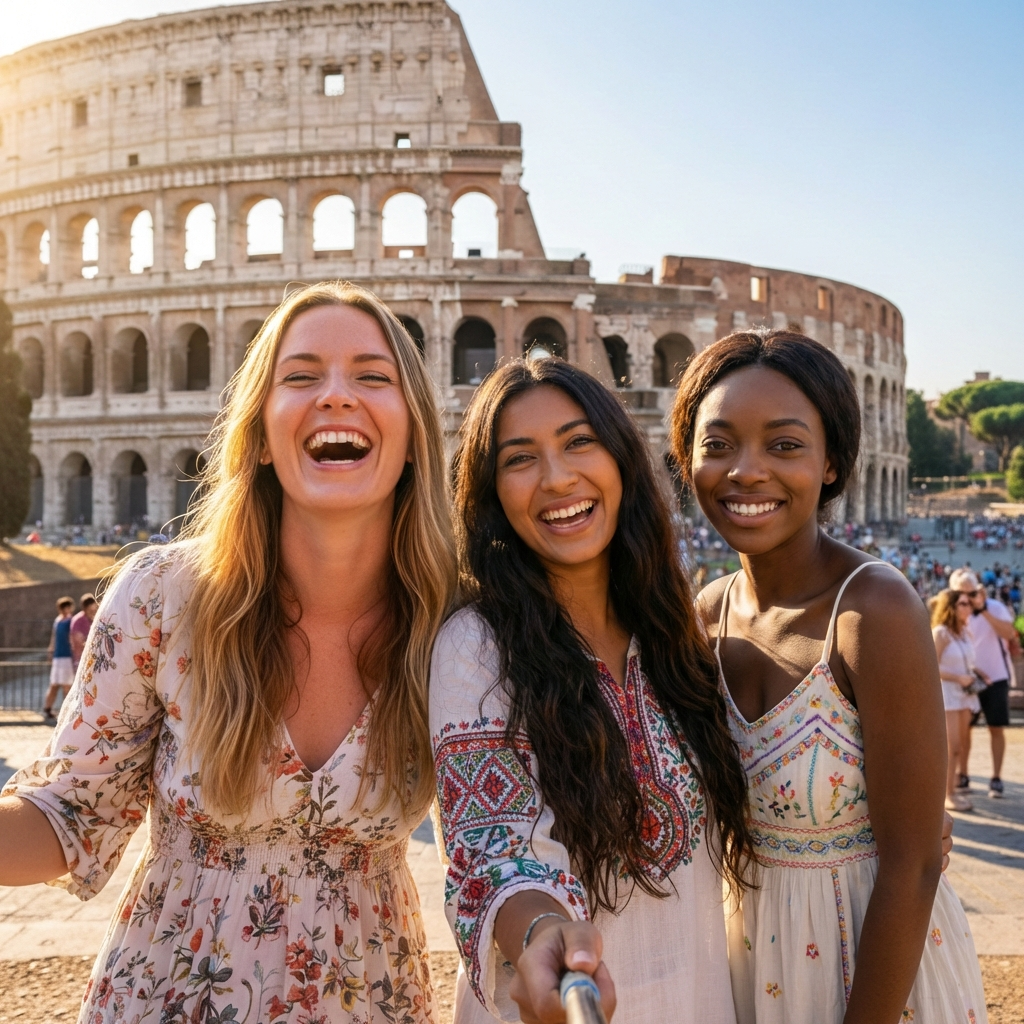
Final AI Composite
Why You Might Need to Add Someone to a Photo
Life moves fast, and sometimes the perfect shot is missing just one person. Here are the most common reasons why people use AI to add someone into a picture:
- Complete a Family Portrait: When a loved one couldn't attend a reunion or wedding, you can easily add them to the group shot later.
- Long-Distance Memories: Create "together" photos for couples or friends separated by thousands of miles.
- Professional Marketing: Design high-quality promotional materials by placing models into different environments without the cost of multiple photoshoots.
- Funny Memes & Creative Projects: Place yourself or your friends in hilarious or epic scenarios for social media.
Step-by-Step Guide: How to Add a Person to a Photo with Editaimg
Adding a missing person to your favorite memories is now a simple, streamlined process. Unlike traditional editors that require manual cutting and complex adjustments, Editaimg automates the heavy lifting. Here is the professional way to add someone to a photo using our specialized AI interface.
Step 1: Upload Your Background and Subject
Navigate to Editaimg's Add Someone to Photo tool. You will see two dedicated upload areas:
- Background Image: Upload the primary scene where the new person will appear.
- Person Image: Upload the photo of the individual you wish to add.
Our system is designed to recognize these roles immediately, so you don't need to perform any manual background removal or masking.
Step 2: Select Your Output Preferences
Forget about writing complex prompts. Once your images are uploaded, simply select your desired Output Size (resolution and aspect ratio). Whether you need a 1:1 square for Instagram or a high-definition landscape for printing, the tool handles the spatial logic automatically.
Step 3: Instant AI Generation
Click "Generate." Editaimg's AI engine will analyze both images, automatically isolate the subject, determine the best placement, and match the lighting and perspective to the background scene seamlessly.
Step 4: Download Your HD Result
Once the AI finishes its work, your new, complete photo will be ready. You can instantly Download or export the image in high resolution, perfectly blended and ready to share.
Pro Tips for a Natural Look (2026 Edition)
- Match the Resolution: Ensure both photos have similar clarity. If the background is a bit blurry, use our AI Image Upscaler on the subject before adding them.
- Context Matters: Choose a subject photo with a similar perspective to the background for the most realistic results.
- Color Grading: Use a consistent filter over the final composite to "glue" the elements together.
Frequently Asked Questions (FAQs)
How can I add a person to a photo for free?
Most modern AI tools like Editaimg offer a free tier that allows you to upload and preview your composite without needing a subscription.
How do I add a person to a photo without Photoshop?
You no longer need complex software. Online AI editors like Editaimg handle the masking, blending, and lighting adjustments automatically through your browser.
Can I add someone to a picture on my iPhone or Android?
Yes! Editaimg is fully mobile-optimized. You can snap a photo, upload it, and add missing people directly from your phone's gallery.
Conclusion
Whether it's a family reunion that was almost perfect or a marketing project that needs a human touch, learning how to add someone to a picture is a superpower in the digital age. With the 2026 AI tools available at Editaimg, the only limit is your imagination.
Ready to complete your favorite photos? Try Editaimg's Add Person Tool now!